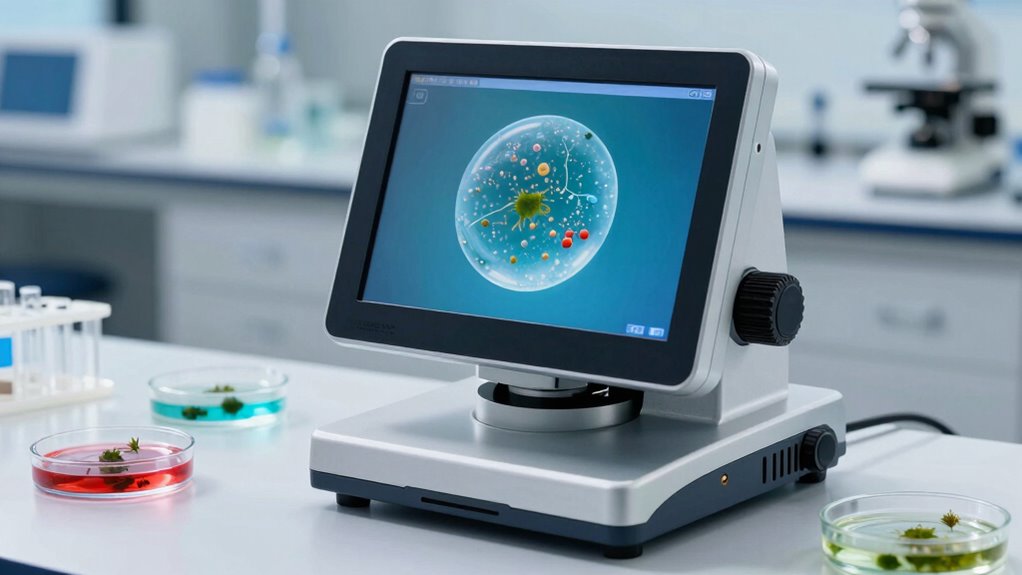

For water sediment analysis, I’d choose the Andonstar AD246S-M as the best overall option in this lineup because its three lenses, 2160P output, and HDMI connection offer flexibility for viewing and recording samples. The Andonstar AD266S is a better fit for buyers who want a built-in 7-inch display and a broad magnification range, while the Jiusion 40-1000x is a simpler, stand-mounted option for getting started. The main tradeoffs are stable sample positioning versus handheld flexibility, and a self-contained screen versus computer or phone connectivity. Magnification claims alone do not tell you whether a microscope can resolve the particles you need to inspect. Read on for how these seven models differ and which one best suits your sediment workflow.

Get home appliances delivered free with Prime
- Fast, free delivery on millions of items
- Prime Video, Amazon Music and more included
- Member-only deals all year
Complete the kit


Key Takeaways
- The Andonstar AD246S-M leads for versatility: its three-lens setup and HDMI/2160P output provide more ways to view and document samples than the single-view handheld choices.
- The AD266S suits a self-contained bench setup: its 7-inch LCD reduces reliance on a separate display, though its stated 20X-5000X range does not by itself guarantee useful detail at every setting.
- Stand stability matters for sediment: the two Jiusion models include metal stands, giving them an advantage over handheld microscopes when you need steady views of particles in a prepared sample.
- Connectivity changes the workflow: the wireless model and Jiusion 4K WiFi/USB model prioritize mobile or computer viewing, while Celestron and Andonstar models offer built-in or HDMI-based display options.
- The Teslong is a niche pick, not a general sediment station: its 10X-200X range and USB-C connection suit close inspection of larger material, but offer less stated magnification range than the other models.
| Celestron LCD Digital Microscope II – 3.5″ Rotating LCD Touchscreen |  | Best for Standalone Viewing | Screen: 3.5-inch rotating touchscreen | Magnification: Up to 1600x | Camera: 5MP; captures images and video | VIEW ON AMAZON | See Our Full Breakdown |
| Jiusion 40-1000x Digital Microscope with 8 LED Lights and Metal Stand |  | Best Budget USB Pick | Magnification range: 40x to 1000x | Lighting: 8 built-in LED lights | Connection: USB 2.0 | VIEW ON AMAZON | See Our Full Breakdown |
| Andonstar AD246S-M 3 Lens 2160P HDMI Digital Microscope 2000x for Adults |  | Best for Multi-Purpose Lab Benches | Lens types: Lens L, Lens A, and Lens D | Listed magnification ranges: 4.5-180x, 18-720x, 450-510x, and 1800-2040x | Video resolution: 2160P UHD | VIEW ON AMAZON | See Our Full Breakdown |
| Wireless Digital Microscope 50X-1000X Magnification WiFi Handheld USB Compatible with iPhone Android iPad Windows Mac |  | Best for Phone-Based Field Sharing | Magnification range: 50x to 1000x | Sensor: 2MP HD CMOS | Smartphone resolution: 1920×1080 | VIEW ON AMAZON | See Our Full Breakdown |
| Jiusion 4K 50-1000x WiFi USB Digital Handheld Microscope with Metal Stand |  | Best for High-Resolution Capture | Resolution: 3840x2160P | Magnification range: 50x to 1000x | Lighting: 8 built-in LEDs | VIEW ON AMAZON | See Our Full Breakdown |
| Andonstar AD266S 20X-5000X HDMI Digital Microscope with 7-inch LCD Screen |  | Best for Detailed Sediment Study | Magnification range: 20X-5000X | Display: 7-inch IPS LCD | Video resolution: 2160P UHD | VIEW ON AMAZON | See Our Full Breakdown |
| Teslong USB-C Digital Microscope 10X-200X for Coin & Electronics Inspection |  | Best for Simple, Hands-Free Sample Checks | Magnification range: 10X-200X | Connectivity: USB-C; compatible with Android phones, PCs, and other devices | LED lighting: Eight LEDs with three brightness levels | VIEW ON AMAZON | See Our Full Breakdown |
| digital microscope for water sediment analysi | Lighting | Magnification range | Included accessories | Connectivity |
|---|---|---|---|---|
| Celestron LCD Digital Microsco | Dual LED illumination | — | Slides, dust cover, carrying case | — |
| Jiusion 40-1000x Digital Micro | 8 built-in LED lights | 40x to 1000x | — | — |
| Andonstar AD246S-M 3 Lens 2160 | 8-level adjustable LED lights | — | Slides, SD card, remote, cables | — |
| Wireless Digital Microscope 50 | 8 adjustable LEDs | 50x to 1000x | — | WiFi and USB |
| Jiusion 4K 50-1000x WiFi USB D | 8 built-in LEDs | 50x to 1000x | — | WiFi and USB |
| Andonstar AD266S 20X-5000X HDM | External LED lights and bottom lights | 20X-5000X | Biological slides kit, remote control, HDMI cable, SD card, and power adapters | HDMI and USB |
| Teslong USB-C Digital Microsco | — | 10X-200X | Ear speculum, protective covers, and side-view mirror | USB-C; compatible with Android phones, PCs, and other devices |
More Details on Our Top Picks
Celestron LCD Digital Microscope II – 3.5″ Rotating LCD Touchscreen
The rotating 3.5-inch touchscreen makes this Celestron the easiest pick here for examining water sediment without keeping a phone or computer beside the sample. Its mechanical stage helps move a slide in a controlled way, useful when comparing particles across a prepared drop, while the 5MP camera records stills and video for later reference. Dual LED illumination and magnification up to 1600x give it more flexibility than the simpler Jiusion 40-1000x USB microscope, which depends on a connected device for viewing. That high maximum magnification should not be mistaken for guaranteed useful detail: digital zoom can soften the image, and the supplied information does not establish water-resistant construction or lab-grade optics. I’d choose it for classroom or field demonstrations, but skip it if portability and long sessions away from an outlet matter; it needs four AA batteries or an AC adapter.
Pros:- Rotating touchscreen lets viewers share the live image without a separate phone or computer.
- Mechanical stage gives more controlled slide movement than a handheld microscope.
- 5MP still capture and video recording support later comparison of observed samples.
- Runs on AA batteries or an AC adapter, offering more placement flexibility than USB-only models.
Cons:- Requires four AA batteries, which are not included, for battery-powered use.
- Digital zoom may lose sharpness at the highest magnification settings.
- The standalone display and accessories make it less compact than the handheld Jiusion USB model.
Best for: Teachers and field educators who want a self-contained screen for showing prepared sediment samples to a small group.
Not ideal for: Buyers needing a lightweight, battery-efficient microscope for extended field sessions, or researchers who require documented optical performance for quantitative analysis.
- Screen:3.5-inch rotating touchscreen
- Magnification:Up to 1600x
- Camera:5MP; captures images and video
- Lighting:Dual LED illumination
- Stage:Mechanical stage
- Power:4 AA batteries or AC adapter
- Included accessories:Slides, dust cover, carrying case
Our verdict“Choose the Celestron if a built-in screen and controlled slide handling matter more than compact size or documented research-grade optics.”
Jiusion 40-1000x Digital Microscope with 8 LED Lights and Metal Stand
For a buyer who already has a compatible computer or Android device, the Jiusion 40-1000x is a straightforward way to inspect sediment without paying for a built-in display or elaborate stand. Its separate focus and brightness knobs are useful when a water sample has particles at different heights or needs less illumination to preserve contrast. Compared with the Celestron LCD Digital Microscope II, this model is lighter and easier to pack, but it gives up the Celestron’s standalone screen and mechanical stage; slide positioning is less controlled. The eight LEDs and broad operating-system support make it a flexible teaching or hobby tool, though Android requires OTG support and Apple mobile devices are excluded. I’d treat its 1000x figure as a range claim, not proof of resolving tiny organisms clearly. Its plastic components are another reason not to choose it for rough, frequent field handling.
Pros:- Focus and LED brightness adjust independently for adapting the view to different samples.
- Metal stand helps hold the microscope steady during observation.
- USB 2.0 connectivity supports a wide range of desktop systems and compatible Android devices.
- At 7.04 ounces, the microscope is easy to carry between a classroom and a sampling site.
Cons:- Does not support iPhone or iPad, and Android use requires OTG support.
- Plastic construction may be less durable than the Andonstar AD246S-M’s larger, more substantial setup.
- No built-in screen or mechanical stage, so viewing depends on a connected device and sample movement is less controlled.
Best for: Students and hobbyists who have a Mac, Windows, Linux, Chrome OS, or OTG-capable Android device and want an inexpensive connected microscope for basic sediment viewing.
Not ideal for: iPhone and iPad users, buyers who need a self-contained screen, or field workers looking for a rugged instrument with more precise slide control.
- Magnification range:40x to 1000x
- Lighting:8 built-in LED lights
- Connection:USB 2.0
- Compatible systems:Mac, Windows, Linux, Chrome OS, Android with OTG
- Incompatible devices:iPhone and iPad
- Focus and brightness:Adjustable with separate knobs
- Weight:7.04 ounces
- Included stand:Metal stand
Our verdict“Pick this Jiusion for basic sediment exploration on a compatible device if portability and manual controls matter more than a standalone display.”
Andonstar AD246S-M 3 Lens 2160P HDMI Digital Microscope 2000x for Adults
The three interchangeable lenses give the Andonstar AD246S-M the widest working role in this group: it can be configured for biological observation as well as coins or electronics, rather than serving only as a handheld inspection camera. For water sediment, that flexibility and the HDMI output with 2160P recording make it a stronger bench-based choice than the Celestron LCD Digital Microscope II when a larger external display and detailed recordings are priorities. The listed magnification ranges vary by lens, so buyers should match the biological lens configuration to their intended sample rather than relying on the headline 2000x figure. This is also the most involved setup here: it is bulky, needs external power, and may ask more of a beginner than the plug-in Jiusion USB model. I’d choose it for a stationary teaching or hobby lab, not quick sampling along a streambank.
Pros:- Interchangeable lenses allow the instrument to serve biological, coin, and electronics observation tasks.
- 2160P UHD recording and HDMI output support detailed viewing on an external display.
- Adjustable LED levels help adapt illumination to slides and other specimens.
- Remote, SD card, slides, and measurement software add useful bench accessories.
Cons:- Bulky build and external power requirement make it less suitable for field sampling than the handheld models.
- Multiple lenses and setup options can be harder for beginners to configure correctly.
- The different lens-specific magnification ranges require buyers to check which configuration fits their sample work.
Best for: Educators and serious hobbyists setting up a fixed bench where sediment viewing, electronics inspection, and high-resolution recording all have a place.
Not ideal for: Beginners seeking a quick handheld setup, or field samplers who need a light microscope powered without an external supply.
- Lens types:Lens L, Lens A, and Lens D
- Listed magnification ranges:4.5-180x, 18-720x, 450-510x, and 1800-2040x
- Video resolution:2160P UHD
- Display output:HDMI
- Lighting:8-level adjustable LED lights
- Power:External power source required
- Included accessories:Slides, SD card, remote, cables
- Additional tools:Measurement software
Our verdict“Choose the AD246S-M if you want a configurable, powered bench microscope for sediment and other close-inspection tasks, and can accept a more involved setup.”
Wireless Digital Microscope 50X-1000X Magnification WiFi Handheld USB Compatible with iPhone Android iPad Windows Mac
This wireless microscope is the most convenient option here for sending a live view to a phone or tablet: WiFi and USB connections cover iPhone, Android, iPad, Windows, and Mac, while the handheld format travels more easily than the Andonstar AD246S-M. For water sediment, that makes it practical for informal outdoor observation and quick image capture, especially when several people can view the sample on a familiar device. The tradeoff is control. Its fixed focus limits how readily it can accommodate sample height or working distance, and the 2MP sensor is a more modest capture basis than the Celestron’s 5MP camera. Smartphone output is listed at 1920×1080, while computer output is 720P, so the viewing result depends on the connection. I’d choose it for accessible demonstrations, not fine biological identification or measurement-led work.
Pros:- WiFi and USB connection options support phones, tablets, and computers across common platforms.
- Portable handheld design suits informal sampling away from a fixed bench.
- Adjustable LED lighting helps tune illumination for different sediment samples.
- Smartphone video output is listed at 1920×1080 for sharing and retaining observations.
Cons:- Fixed focus limits adjustment for samples at different heights and working distances.
- Computer output is listed at 720P, below its smartphone output resolution.
- Requires software download and setup before connected viewing.
Best for: Families, teachers, and casual field observers who want to show sediment images on a phone or tablet without carrying a bench microscope.
Not ideal for: Researchers or advanced hobbyists who need flexible focusing, consistent high-detail capture, or dependable measurements of fine particles.
- Magnification range:50x to 1000x
- Sensor:2MP HD CMOS
- Smartphone resolution:1920×1080
- Computer resolution:720P
- Lighting:8 adjustable LEDs
- Connectivity:WiFi and USB
- Compatibility:iPhone, Android, iPad, Windows, Mac
- Focal length range:3-60 mm
Our verdict“Choose this model for easy phone-based sharing of casual sediment observations, but skip it if flexible focus or detailed analysis is required.”
Jiusion 4K 50-1000x WiFi USB Digital Handheld Microscope with Metal Stand
The Jiusion 4K’s defining advantage is its 3840x2160P resolution, which gives it more capture headroom than the 2MP wireless microscope when saving sediment views for later comparison. A metal stand and adjustable focus also make it more suitable for steady bench viewing than that fixed-focus handheld alternative. Its WiFi and USB options span phones and computers, with listed support for iOS, Android, Windows, Mac, Linux, and Chrome OS. The catch is that compatibility does not mean every control works everywhere: zoom buttons do not work on Windows, Mac, Linux, or Chrome OS, limiting how conveniently desktop users can change magnification. The supplied information also says a full charge is needed for optimal performance, which complicates long sessions away from power. I’d pick it for high-resolution hobby documentation, not as a substitute for the Celestron’s built-in viewing screen or a dedicated lab instrument.
Pros:- 3840x2160P capture provides higher listed resolution than the 2MP wireless microscope.
- Metal stand supports steadier viewing than an unsupported handheld position.
- Adjustable focus and brightness offer more control over sample framing and illumination.
- WiFi and USB connectivity cover a broad range of mobile and computer operating systems.
Cons:- Zoom buttons do not work on Windows, Mac, Linux, or Chrome OS.
- The product description calls for a full charge for optimal performance, which can interrupt extended field sessions.
- Unlike the Celestron LCD model, it has no built-in screen for independent viewing.
Best for: Hobbyists and students who want to save high-resolution sediment images and can use the compatible zoom controls on a supported device.
Not ideal for: Desktop users who rely on zoom buttons, or field researchers who need predictable long-session operation and documented analytical performance.
- Resolution:3840x2160P
- Magnification range:50x to 1000x
- Lighting:8 built-in LEDs
- Connectivity:WiFi and USB
- Compatibility:iOS, Android, Windows, Mac, Linux, Chrome OS
- Stand:Metal stand
- Focus and brightness:Adjustable focus and brightness
- Zoom-button limitation:Zoom buttons do not work on Windows, Mac, Linux, or Chrome OS
Our verdict“Choose the Jiusion 4K if high-resolution saved images and a stand matter most, provided your device supports the controls you need.”
Andonstar AD266S 20X-5000X HDMI Digital Microscope with 7-inch LCD Screen
The AD266S is the strongest fit here for buyers who want a bench-style setup for comparing fine sediment details across magnifications. Its five interchangeable lenses and stated range up to 5000X offer more flexibility than the Teslong USB-C microscope, whose 10X-200X range suits surface inspection better than high-magnification sample work. The built-in 7-inch IPS screen also lets you observe without tying up a phone or computer, while HDMI and 2160P video support viewing and recording on a larger display. Adjustable external and bottom lighting can help adapt illumination to different slides and particles. The tradeoff is a more involved setup: lens changes and multiple lighting options take learning, and the bulky design is less convenient for field sampling. For straightforward portable checks, the Teslong is simpler to position.
Pros:- Five lens options and a stated 20X-5000X range allow varied magnification approaches.
- Built-in 7-inch IPS display supports viewing without a separate phone or computer.
- 2160P video and HDMI output support larger-screen observation and recording.
- External and bottom lighting give more control over how prepared samples are illuminated.
Cons:- Changing among several lenses and lighting options may take practice.
- Bulky construction is less suited to portable field observations.
- The extensive feature set may be more than casual users need.
Best for: Home educators and sediment hobbyists who want a dedicated-screen microscope, several lens options, and HDMI recording for comparing prepared water samples.
Not ideal for: People who need a compact microscope for collecting samples outdoors, or beginners who want a simple plug-in tool with little setup.
- Magnification range:20X-5000X
- Display:7-inch IPS LCD
- Video resolution:2160P UHD
- Lens types:Five lenses: A, B, C, M, and L
- Lighting:External LED lights and bottom lights
- Connectivity:HDMI and USB
- Storage:SD card; 32GB card included
- Included accessories:Biological slides kit, remote control, HDMI cable, SD card, and power adapters
Our verdict“Choose the AD266S for a dedicated, feature-rich station to examine and record prepared sediment samples; choose the Teslong for a simpler, lower-magnification inspection setup.”
Teslong USB-C Digital Microscope 10X-200X for Coin & Electronics Inspection
The Teslong suits buyers who value a steady, direct view of sediment particles over very high magnification or a self-contained display. Its weighted metal stand and rotating arm keep the microscope positioned hands-free, which can make repeated checks of a slide less awkward than using a handheld Wi-Fi model. The 10X-200X range is far below the Andonstar AD266S’s stated ceiling, so this is better for accessible surface details and basic comparisons than for users seeking the broadest magnification options. Eight LEDs with three brightness levels give some control over glare and shadows, while the manual focus wheel allows deliberate adjustment. In exchange, you need a compatible phone, PC, or other USB-C display device; unlike the AD266S, it has no built-in screen. Manual focusing also takes more attention than a quick inspection may warrant.
Pros:- Weighted stand supports hands-free viewing while positioning a sample.
- Rotating arm allows 360-degree viewing angles without relying on a handheld grip.
- Eight LEDs with three brightness settings help adjust illumination.
- Manual focus wheel gives direct control over image sharpness.
Cons:- Requires a connected phone, PC, or other compatible device for a display.
- 10X-200X magnification range is limited compared with the Andonstar AD266S.
- Manual focus can slow down quick checks or repeated adjustments.
Best for: Beginners and hobbyists who already have a compatible USB-C phone or computer and want a stable microscope for examining larger sediment particles on slides.
Not ideal for: Buyers who need a built-in viewing screen, a portable standalone setup, or higher magnification options for close study of very fine sample details.
- Magnification range:10X-200X
- Connectivity:USB-C; compatible with Android phones, PCs, and other devices
- LED lighting:Eight LEDs with three brightness levels
- Focus:Manual focus wheel
- Stand:Rotating chrome-plated metal arm with weighted base
- Viewing angle:360-degree rotation
- Included accessories:Ear speculum, protective covers, and side-view mirror
Our verdict“Pick the Teslong for steady, straightforward checks of larger sediment details on a connected device, but choose the AD266S if you need a built-in screen and much higher stated magnification.”

How We Picked
I ranked these microscopes around the practical demands of examining water sediment: keeping a sample steady, getting a usable view of small particles, and being able to inspect or record what appears on screen. I compared each model’s stated magnification range, stand or handheld design, display and connection options, and flexibility for different sample types. For sediment work, a stable setup and a workable viewing distance can matter more than the largest number printed in a specification.
The ranking favors models that offer a balanced workflow for repeated sample viewing, rather than a single standout spec. The Andonstar AD246S-M takes the lead for its lens options and HDMI/2160P output; the AD266S follows for its built-in display and broad stated range. Stand-mounted Jiusion models rank ahead of handheld options for stationary samples, while the Celestron offers a convenient integrated screen. The Teslong and wireless handheld model remain useful for narrower needs, but their portable formats are less suited to consistent bench analysis.
| digital microscope for water sediment analysi | Included accessories | Connectivity |
|---|---|---|
| Celestron LCD Digital Microsco | Slides, dust cover, carrying case | — |
| Jiusion 40-1000x Digital Micro | — | — |
| Andonstar AD246S-M 3 Lens 2160 | Slides, SD card, remote, cables | — |
| Wireless Digital Microscope 50 | — | WiFi and USB |
| Jiusion 4K 50-1000x WiFi USB D | — | WiFi and USB |
| Andonstar AD266S 20X-5000X HDM | Biological slides kit, remote control, HDMI cable, SD card, and power adapters | HDMI and USB |
| Teslong USB-C Digital Microsco | Ear speculum, protective covers, and side-view mirror | USB-C; compatible with Android phones, PCs, and other devices |
Factors to Consider When Choosing Digital Microscope For Water Sediment Analysis
Choosing a microscope for sediment is less about chasing maximum magnification and more about matching the instrument to the sample, viewing setup, and record-keeping you need. I’d settle those points before deciding which model’s screen or connectivity features are worth prioritizing.
Match magnification to the particles you need to see
Water samples can contain material at very different scales, from visible grit and plant fragments to much finer particles. A wide magnification range sounds flexible, but the highest setting is not automatically the most useful: field of view, focus, lighting, and image detail all affect what you can distinguish. Start by identifying whether you need to document larger debris or inspect finer sediment features. If your work depends on a specific particle-size threshold, check that the microscope’s usable resolution is documented for that purpose rather than relying on magnification numbers alone. A practical test with a reference sample can reveal more than a headline range.
Prioritize a stable sample and stage setup
Loose sediment can shift when a slide, dish, or microscope is moved, making comparisons between views harder. A stand helps keep the viewing head aligned while you adjust focus and reposition the sample. Handheld designs are easier to move around, but small movements can interrupt focus and make repeat observations less consistent. Check whether the stage or working area can accommodate the container or slide you plan to use; a sturdy stand is less useful if your sample does not fit beneath the lens. For repeated observations, plan the sample holder and microscope as one setup rather than treating the microscope alone as the whole system.
Choose a screen and connection that fit your workflow
A built-in LCD makes a microscope usable without setting up a phone or computer, which can simplify quick checks and shared viewing. HDMI output can suit a larger monitor or recording arrangement, while USB and WiFi options may work better when you want to use a computer or mobile device. Before buying, verify compatibility with your operating system, device ports, and any software you plan to use; a connector name does not guarantee a smooth connection. Also decide whether you need still images, video, or simply a live view. Paying for connectivity you will not use adds setup complexity without improving the sample itself.
Think about illumination and sample preparation
Water sediment may be transparent, translucent, or opaque, so one lighting arrangement may not suit every sample. Reflected light can help reveal surface texture, while light passing through a thin prepared sample can show internal details. The included light source is only part of the result: sample thickness, container material, bubbles, and uneven sediment distribution can obscure features. Avoid stacking or overloading a sample, since a thicker layer can make it difficult to bring different particles into focus at once. If lighting controls or compatible accessories are not clearly specified, leave room in your plan for trial and error before relying on the setup for routine comparisons.
Plan how you will document and compare observations
For one-time identification, a clear live view may be enough; for monitoring changes, saved images with consistent framing are far more useful. Decide how you will label each sample, record collection conditions, and keep magnification and lighting consistent between sessions. A microscope that can connect to a display or recording device may support this routine, but confirm what capture functions are included rather than assuming every screen output saves files. Keep a scale reference in the sample view when size estimates matter. Consistent capture habits can make modest equipment more useful than a higher-spec model used differently each time.
Spend more only for a feature you will use
More lenses, a larger display, or a broader stated magnification range can add flexibility, but each feature should solve a real problem in your workflow. A built-in screen may be worthwhile if you want a standalone bench instrument; HDMI output matters more if you plan to share a live image on a larger display. A portable USB-C microscope is easier to carry, but that convenience may not compensate for a less stable view during repeated sediment checks. Compare the included stand, sample clearance, connection requirements, and accessory support before paying for headline specifications. If you are still learning what you need to observe, a simpler stand-mounted model can be a sensible starting point.
Frequently Asked Questions
Can these microscopes identify bacteria or other microorganisms in water?
The listed magnification ranges do not establish that a microscope can identify bacteria or reliably resolve microorganisms. That depends on optical resolution, sample preparation, lighting, and the organism’s size, not magnification claims alone. These products are digital inspection microscopes, so I would treat them as options for viewing sediment and larger microscopic material unless the manufacturer documents resolution suitable for your target. If you need microbial identification, check the required method and imaging specifications with a qualified lab or relevant technical guidance. Do not use a visual microscope result by itself to judge whether water is safe to drink.
Is a built-in LCD better than connecting a microscope to a phone or computer?
A built-in LCD is convenient for quick checks because it avoids device pairing, software, and cable compatibility questions. A computer or phone connection can be better when you need to save, share, or organize images, but the actual workflow depends on supported devices and capture software. For repeated sediment records, confirm that the model can capture files in the format you need, not just show a live image. If several people will inspect samples together, HDMI or a larger display can make shared viewing easier. Choose based on how you will review and preserve observations, rather than assuming one screen type gives better image detail.
Do I need a stand to analyze water sediment?
A stand is not mandatory, but it usually helps when you need to hold a sample in focus while making repeated observations. Sediment can shift, and handheld movement can make it harder to compare one area with another. A stand-mounted design is a stronger fit for a bench routine, while a handheld model makes more sense for occasional checks or samples that are awkward to bring to a fixed setup. Before choosing, confirm that the stand leaves enough room for the slide or container you plan to inspect. A stable stand cannot compensate for unsuitable sample preparation, but it can reduce one source of variation.
Are the highest magnification settings useful for ordinary sediment samples?
Not necessarily. Higher magnification narrows the field of view and can make focusing more demanding, while it does not create detail that the optics cannot resolve. For mixed sediment, a lower setting may help you locate particles and understand how they are distributed before you zoom in on an area. Look for clear information about optical resolution and usable working distance rather than choosing by the maximum magnification figure. If possible, compare the microscope with a prepared sample similar to the material you expect to analyze. The right setting is the one that reveals the feature you need to distinguish.
What should I confirm before using a microscope for saved sediment records?
Check whether the microscope can capture still images or video, where files are stored, and whether its software supports your computer or mobile device. Confirm that the connection works with your available ports and that any required app or driver is compatible with your operating system. For useful comparisons over time, record the sample source, preparation method, lighting, and magnification alongside each image. A scale reference in the frame is helpful if particle size matters. If capture details are unclear, treat the model as a viewing tool until you verify its recording workflow.
Conclusion
For most buyers seeking a flexible bench microscope for sediment viewing, I’d start with the Andonstar AD246S-M: its three lenses and HDMI/2160P output give it the strongest balance of viewing options and documentation potential in this group. My best premium-style pick is the Andonstar AD266S for buyers who value a built-in 7-inch screen and broad stated magnification range. For best value in a straightforward setup, the Jiusion 40-1000x is the stand-mounted choice I’d compare first; the Jiusion 4K WiFi/USB makes more sense when device connectivity matters. Beginners who want an integrated display can look at the Celestron LCD Digital Microscope II, while the Teslong is better for portable inspection of larger material and the wireless model fits buyers who prize handheld access. Before choosing, match the stand, sample size, and capture workflow to the sediment you actually plan to examine.