
This checklist is for homeowners and renters choosing devices for a smarter home security setup. It covers entry points, outdoor and indoor monitoring, and garage access, while noting where a listed product name may not match the intended job.

Get home appliances delivered free with Prime
- Fast, free delivery on millions of items
- Prime Video, Amazon Music and more included
- Member-only deals all year
The sections follow common security zones: the front door, outdoor areas, locks, windows and doors, the garage, and indoor spaces. Each product pick is considered for its named role, with fit and compatibility kept in view.
Use the advice to compare the device with your home’s layout and existing equipment. Before buying, verify the product’s specifications and supported features, especially when its name suggests a different use; confirm the match before relying on it for security.
Smart doorbell camera
A doorbell camera belongs at the entry where visitors arrive, so this slot matters for seeing and communicating with people at the door. The listed pick is the Tapo D260 4K Smart Video Doorbell. Its name identifies it as a smart video doorbell, making it the clearest role match among the supplied picks. Confirm the exact model’s requirements and capabilities before purchase rather than assuming that a label establishes every feature you need.
A common mistake is choosing by resolution wording alone and overlooking installation fit. Check whether the doorbell works with your existing chime or wiring, if applicable, and whether its mounting arrangement suits the available space. Consider the entry’s exposure to weather and the camera’s view of the approach, then verify those details in the product specifications. Also check what connectivity, app access, storage, and power arrangements are supported. Verify each requirement for the exact model and your home; the product name by itself does not establish compatibility or included services.
What to look for:
- Verify the exact model and supported features.
- Check compatibility with existing wiring or chime, if used.
- Confirm the mounting arrangement fits the entry.
- Review power, connectivity, and storage requirements.
- Make sure the camera view suits the doorway.
Tapo D260 4K Smart Video Doorbell

The Tapo D260 captures 4K video with a 180° diagonal field of view, radar motion detection, and AI recognition for people, pets, vehicles, and packages. It supports battery-powered or hardwired installation, two-way audio, color night vision, and local microSD storage up to 512 GB.
Pros:
- Sharp 4K video with a wide field of view
- Battery or hardwired installation options
- AI activity detection and radar help reduce irrelevant alerts
- Local microSD storage is available without a subscription
Cons:
- microSD card is sold separately
- 24/7 recording requires hardwired installation
- Facial recognition is unavailable in Illinois and Texas
Best for: Shoppers seeking a product explicitly named as a smart video doorbell
Not ideal for: Buyers who have not checked installation and system requirements
Bottom line: Confirm the model’s mounting, power, and compatibility details before choosing the Tapo D260.
Outdoor security camera
Outdoor monitoring calls for equipment that can be placed around the areas you want to observe. The listed pick is the ELYSOO 4K Solar Wireless Outdoor Security Camera System, 4-Camera Kit, whose name identifies an outdoor camera system and a four-camera kit. That gives you a starting point for planning coverage, but the product name does not establish how much area each camera can see or what is included beyond the named kit.
Before buying, map likely mounting locations and check the manufacturer’s stated placement, connectivity, power, and weather requirements. A common mistake is treating “wireless” or “solar” as a guarantee that every location will work without planning; verify the specific setup and conditions the product requires. Check whether the cameras can be positioned where they have a useful view, and whether the system works with your network and preferred recording method. Plan placement first, then confirm the specifications for each camera and the system as a whole. Do not infer range or performance from “4K” alone.
What to look for:
- Confirm what the four-camera kit includes.
- Check placement and mounting requirements.
- Review stated solar and power requirements.
- Verify network and recording compatibility.
- Plan camera views for the areas you want to monitor.
ELYSOO 4K Solar Wireless Outdoor Security Camera System, 4-Camera Kit

This outdoor security camera system features 4K resolution with 8MP ultra-clear lenses, providing detailed footage of faces, license plates, and packages. It is solar-powered, weather-resistant, and includes local encrypted storage with no monthly fees, offering easy setup and AI motion detection for comprehensive home security.
Pros:
- High-resolution 4K video with detailed clarity
- Solar-powered with minimal sunlight required
- Local encrypted storage with no subscription fees
- Easy installation and setup
Cons:
- Requires Wi-Fi connection for operation
- Limited night vision range of 25 ft
- Expandable storage up to 256GB but no mention of SD card included
Best for: Shoppers looking for a named outdoor camera kit
Not ideal for: Homes whose planned locations do not meet the stated setup requirements
Bottom line: Check the system requirements and intended camera positions before selecting this kit.
Smart door lock
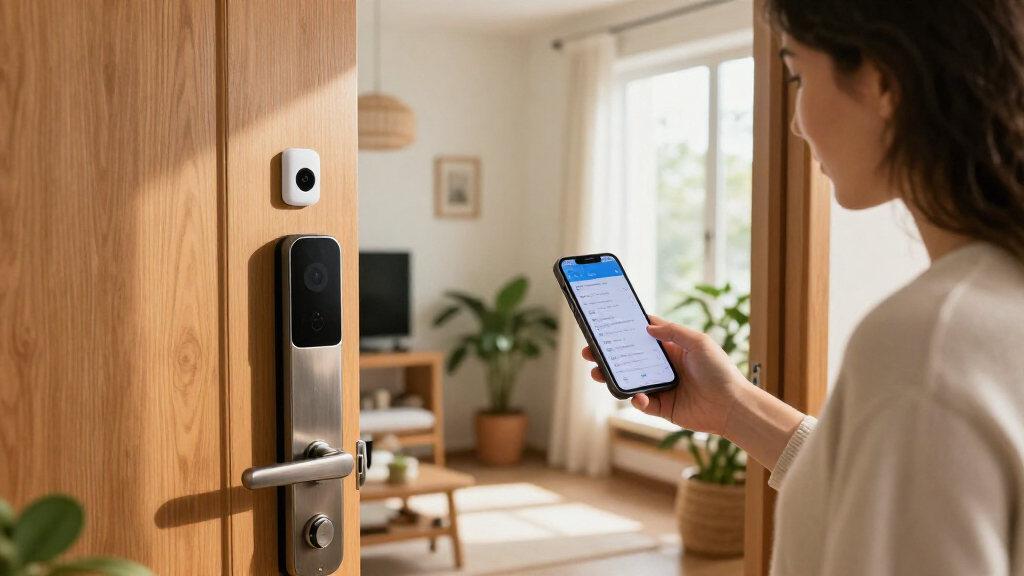
A smart lock occupies a high-trust place in a security setup: it must fit the door and support the way household members use the entry. The supplied pick is “Keyless Entry Door Lock with Handle Set, Smart Deadbolt with Fingerpri”, an incomplete product name. It suggests a keyless lock and handle set, but the truncated wording does not confirm the full model or all of its features. Identify the exact product listing before comparing it with your door.
Measure the door and check the lock’s stated fit, handing, backset, thickness, and bore requirements against your existing hardware. A frequent mistake is assuming that a handle set and deadbolt will fit every door or that a feature implied by a partial name is included. Verify the full listing for supported entry methods, power needs, any required app or hub, and how access is managed when batteries or connectivity are unavailable. Match the hardware carefully and confirm compatibility with the specific door before ordering. If you cannot find a complete model name and specifications, there is not enough information here to recommend this pick confidently.
What to look for:
- Find the complete product name and model.
- Measure the door and compare all stated fit requirements.
- Verify compatibility with existing handle and deadbolt openings.
- Confirm supported entry methods and power needs.
- Check app, hub, and backup access requirements.
Keyless Entry Door Lock with Handle Set, Smart Deadbolt with Fingerprint, App, K

This smart deadbolt lock offers five unlocking methods including fingerprint, app, keypad, key, and fob cards, providing secure and convenient access. It features easy installation without drilling, Bluetooth control, remote access options, and supports multiple user codes for versatile use.
Pros:
- Multiple secure unlocking options including fingerprint and app control
- Easy, damage-free installation suitable for renters and homeowners
- Weatherproof design with long battery life and safety features
Cons:
- Requires smartphone app and optional gateway for full remote access
- Battery replacement needed approximately every 9 months
- Some features may require additional accessories (e.g., G2 Gateway)
Best for: Shoppers who can confirm the complete listing and door fit
Not ideal for: Anyone relying on the truncated name as a complete specification
Bottom line: Get the full model details and compare the lock’s fit requirements with your door before buying.
Window and door sensors
Window and door sensors are intended to help monitor openings, so the product must be designed for that role and work with the security setup you use. The supplied pick is “Wireless Meat Thermometer Digital Bluetooth 1500FT 6 Sensors”. Its name identifies a meat thermometer, not a window or door sensor. The product name therefore does not support recommending it for this security slot.
A common buying mistake is treating a shared word such as “wireless” or a sensor count as evidence of security compatibility. Instead, look for a product explicitly identified as an opening sensor, then verify how it detects an open or closed window or door and how it communicates alerts. Check the sensor’s mounting method, supported doors or windows, connectivity requirements, and compatibility with your alarm or smart home platform. Choose by intended function and confirm the exact model’s specifications. The listed thermometer’s name alone does not establish that it can perform any of these tasks, so this slot needs a suitable, clearly identified product.
What to look for:
- Choose a product explicitly identified as a window or door sensor.
- Verify how it detects an opening state.
- Check the mounting method for each opening.
- Confirm connectivity and alert requirements.
- Verify compatibility with your alarm or smart home platform.
Wireless Meat Thermometer Digital Bluetooth 1500FT 6 Sensors

The TEMMIO wireless meat thermometer offers precise temperature monitoring with ±0.5°F accuracy across six sensors and a range of 32°F to 572°F. It features up to 1500 ft Bluetooth connectivity, four independent probes, and a rechargeable battery lasting up to 72 hours, all controllable via the MeatCue app.
Pros:
- High accuracy of ±0.5°F with six‑sensor technology.
- Long Bluetooth range up to 1500 ft for remote monitoring.
- Four independent probes enable cooking multiple items simultaneously.
- Rechargeable battery provides up to 72 hours of use and includes magnetic mount and stand.
Cons:
- Upper temperature limit of 572°F may not suit extreme high‑heat grilling.
- Bluetooth connectivity range can be reduced by obstacles or interference.
- No waterproof rating, limiting durability in harsh outdoor conditions.
Best for: Shoppers comparing products designed for window and door monitoring
Not ideal for: Anyone considering the listed meat thermometer for this security role
Bottom line: The named thermometer is not identified as an opening sensor; choose a compatible security sensor instead.
Smart garage controller
A garage controller should be selected for the garage door system it is meant to operate, while an alarm siren serves a different stated purpose. The listed pick is “WiFi Home Security Alarm System with 120dB Motion Sensor Siren, Window”. Its name describes an alarm system and siren; it does not identify a garage door controller. The listing is also truncated, so the complete product and included components are unclear.
Before choosing a controller, identify your garage door opener model and check the controller’s stated compatibility and installation requirements. A common mistake is assuming that Wi-Fi or a security label means a product can control a garage door. Verify whether a product is explicitly designed to operate a garage door, how it connects to the opener, and whether it fits your network and desired access method. Confirm the intended function in the complete product specifications. Based on the supplied name alone, the alarm system cannot be recommended as a garage controller; find a clearly labeled controller with compatibility details for your opener.
What to look for:
- Choose a product explicitly identified as a garage door controller.
- Check compatibility with the opener’s exact model.
- Review wiring and installation requirements.
- Verify network and access method requirements.
- Confirm the full listing and included components.
WiFi Home Security Alarm System with 120dB Motion Sensor Siren, Window/Door Sens

This Wi‑Fi enabled alarm system integrates with the Tuya app for remote monitoring, voice control, and customizable arming settings. It features a super loud 120 dB siren and includes wireless motion, window, and door sensors that attach via adhesive pads or screws.
Pros:
- 120 dB siren provides a strong deterrent and can wake occupants.
- Wi‑Fi integration with the Tuya app enables remote control, real‑time alerts, and voice commands.
- Easy DIY installation without professional assistance; sensors attach via adhesive pads or screws.
- Expandable system supporting up to 30 wireless detectors and 20 remote controls.
Cons:
- Relies on a 2.4 GHz Wi‑Fi connection, which may be unstable in congested networks.
- Battery-powered operation requires periodic battery replacement.
Best for: Shoppers who can match a controller to their opener
Not ideal for: Anyone treating the named alarm siren as a garage controller
Bottom line: The supplied name describes an alarm system, so select a controller confirmed to work with your opener.
Indoor security camera
No product was supplied for this slot, so treat it as advice rather than a product recommendation. An indoor camera can be useful only when its placement and capabilities suit the areas you want to monitor. First decide which rooms or entry points matter, and check how the camera’s view, mounting options, and power arrangement work in those spaces. Start with the room and the job you want the camera to do.
Compare complete product specifications for connectivity, recording and storage options, app access, and compatibility with any smart home system you already use. A common mistake is choosing a camera based on a short feature label without checking what is supported or required. Consider privacy controls and whether the camera can be positioned to avoid recording areas you do not intend to monitor. Confirm the exact model and setup requirements before purchase, since no particular indoor camera was named here. Check fit and features against your home rather than assuming all indoor cameras work the same way.
What to look for:
- Define which indoor areas you want to monitor.
- Check mounting and power options for the intended room.
- Verify connectivity and storage requirements.
- Confirm app and smart home compatibility.
- Review privacy controls and camera positioning.
Set your buying order by the openings and areas you most need to address, then verify each product’s exact role and compatibility before spending. Start with a clearly identified doorbell or camera if that matches your priority; find purpose-built window or door sensors and a garage controller where needed. Verify fit and function first, especially for the truncated lock name and the picks whose names describe a different device type.
A useful security setup comes together one compatible device at a time. Use the checklist to identify what fits your home, confirm the details in the complete product listing, and leave any mismatched pick off your list until you find a product intended for that job. Careful checking makes the next step clearer, and you can build from there at a pace that suits your household.