TL;DR

Get home appliances delivered free with Prime
- Fast, free delivery on millions of items
- Prime Video, Amazon Music and more included
- Member-only deals all year
A Matter Alpha how-to report describes adding a Govee COB Strip Light 2 Pro to IKEA’s YXSTABY gaming side table using small 3D-printed fixtures that fit existing screw holes. The installation avoids drilling and permanent furniture changes, then connects the lighting to a Matter-compatible smart home platform.
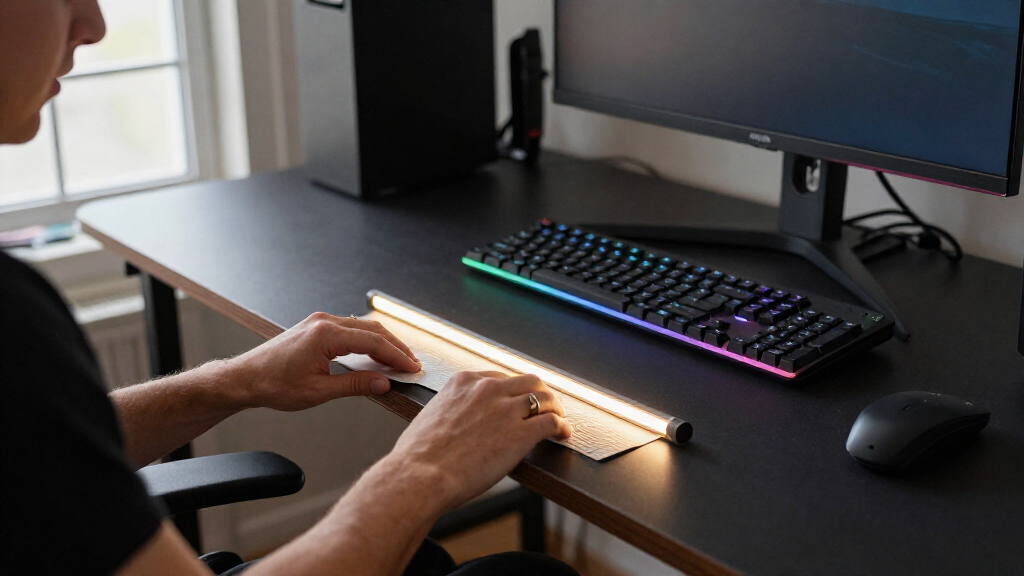
Matter Alpha has published a do-it-yourself guide to adding Matter-compatible lighting inside IKEA’s YXSTABY gaming side table, using a Govee COB light strip and 3D-printed mounts that fit existing screw holes. The described installation requires no new drilling, glue or permanent changes to the furniture, while giving the table’s enclosed storage area adjustable lighting.
The guide uses the Govee COB Strip Light 2 Pro, which the report describes as producing a more continuous glow than conventional LED strips. Its thickness and flexibility can make it difficult to attach around the table’s interior, and the report says its adhesive backing may not suit every surface. Rather than sticking the strip directly to the table, the author designed fixtures to hold it in place.
The fixtures come in upper and lower versions, with four of each used in the build. The report says the files are available on MakerWorld and were printed in translucent PETG; PLA may also work, though the fit can vary. The mounts press into existing holes identified in IKEA’s assembly guide, with no additional screws or adhesive required. The author recommends enabling supports when printing.
The light strip is routed around the lower and upper mounting points, then trimmed at a marked cutting point after being disconnected from power. Its cable exits through the table’s existing bottom-panel opening. Once powered, the strip can be paired with a Matter-compatible platform such as Apple Home, Home Assistant or SmartThings. The guide says Matter provides basic controls, while additional effects remain available in the Govee Home app. After trimming, the app’s length calibration must be updated to match the remaining strip.
A Reversible Lighting Upgrade
The project offers a way to illuminate the table’s enclosed storage without drilling into the furniture or relying on the strip’s adhesive. Using existing screw holes makes the setup potentially reversible: the printed fixtures can be removed, and the guide describes no permanent alteration to the table. That may appeal to owners who want to customize furniture while keeping the option to restore its original configuration.
It also illustrates the difference between Matter’s basic controls and a manufacturer app’s feature set. The report says the strip can join a broader smart-home setup for power, brightness and color, while more advanced multicolor effects and custom animations are managed in Govee’s app. Readers considering the project should not assume every lighting effect will be available through their Matter platform.
Products Worth Considering

Philips Hue Play Gradient 65-Inch Smart TV Light Strip

Philips Hue Festavia 65-Foot Smart LED String Lights, 250 Color-Changing Mini LEDs

Philips Hue White and Color Ambiance Smart Retrofit Recessed LED Downlights, 5/6-Inch, 4-Pack
As an affiliate, we earn on qualifying purchases.
How the Mounting Method Works
IKEA’s YXSTABY collection was developed with Xbox, according to the source report. The gaming side table includes enclosed storage for items such as controllers and accessories. The author identified that compartment as a place where added ambient light could be useful, then designed mounts to address the installation challenge posed by the strip’s thickness and the table’s interior surfaces.
The guide says people assembling the table from scratch can pause IKEA’s instructions before installing the bottom panel and feet, leaving more room to route the strip. Those with an already assembled table can still attempt the installation, but may need to move the sliding panel to reach the mounting points. The source characterizes the task as easy to moderate and says it requires access to a 3D printer; soldering is not required.
““without drilling extra holes or making permanent changes to the furniture””
— Matter Alpha report
Fit and Platform Limits
The report documents one author’s build, not testing across every YXSTABY table, printer or filament combination. It does not establish whether the fixtures will fit identically across manufacturing variations, or how well PLA mounts will hold in every case; the author says fit may vary. The source also does not provide long-term durability testing for the mounts or light strip.
Compatibility and feature availability can depend on the user’s Matter platform and device setup. The guide lists Apple Home, Home Assistant and SmartThings as examples, but does not give a platform-by-platform feature comparison. It also does not specify the final strip length, the exact lighting effect used in the author’s setup, or the project’s total cost.
Pair, Calibrate and Test
After fitting the strip and completing the table assembly, users should connect the light to power, pair it with their chosen Matter-compatible platform and check the available controls. The guide also calls for opening the Govee Home app and recalibrating the strip’s length after trimming so that effects correspond to the installed section. The report does not announce a later product release or scheduled follow-up; the next step for readers is to review the printable files and installation instructions before deciding whether the build suits their table and equipment.
Key Questions
Does the installation require drilling into the YXSTABY table?
No. The guide says the printed fixtures fit existing screw holes, so it does not require drilling new holes or making permanent changes to the furniture.
What parts and equipment does the project use?
The reported build uses the IKEA YXSTABY gaming side table, a Govee COB Strip Light 2 Pro, 3D-printed upper and lower fixtures, and a Matter-compatible smart-home platform. A 3D printer is needed to make the mounts.
Can I control the strip through Matter?
The report says Matter platforms can control basic functions such as power, brightness and color. It says Govee’s app offers additional multicolor effects and custom animations that are not exposed through Matter.
What should I know before cutting the light strip?
Disconnect power and cut only at the strip’s designated cutting marks. The source warns that the removed section cannot be reconnected, and says users should recalibrate the installed length in the Govee app afterward.
Source: matteralpha.com