
For most homes, I’d start with the ecobee Smart Thermostat Enhanced: it balances scheduling, remote control, and room sensing without the added complexity of a premium model. The Amazon Smart Thermostat is a simpler fit for Alexa households, while the Google Nest Learning Thermostat (4th Generation) suits buyers who want automatic schedule adjustments and a sensor in the box. The main tradeoffs are HVAC compatibility, how much automation you want, and whether you need temperature readings beyond the thermostat’s room. I compared 15 options across those needs, along with setup, controls, and ecosystem fit. Read on for the full breakdown and help matching a thermostat to your home.

Get home appliances delivered free with Prime
- Fast, free delivery on millions of items
- Prime Video, Amazon Music and more included
- Member-only deals all year
Complete the kit



Key Takeaways
- ecobee Smart Thermostat Enhanced is my best overall pick because it pairs broad smart-home support with room-sensor compatibility, while the Premium model adds more extras for buyers who want them.
- The Amazon Smart Thermostat keeps things simple for Alexa and Ring homes, but buyers invested in Google or Apple ecosystems may prefer a Nest or ecobee model.
- Google’s Nest Learning Thermostat (4th Generation) is the standout for automated scheduling and included room sensing; the standard Nest models suit buyers who prefer simpler controls.
- The two Vine thermostats serve different priorities: the C-wire model centers on app and voice control, while the large-knob version favors direct, familiar adjustments.
- The Sensi Lite ST25 and Sensi ST55 offer different levels of smart-home functionality, so checking their specific wiring and feature requirements matters more than choosing by brand alone.
| Sensi Lite Wi-Fi Smart Thermostat, ST25 | 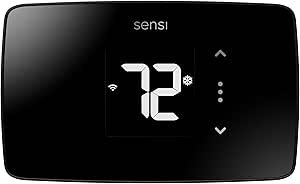 | Best for Easier DIY Installation | Model: ST25 | Connectivity: Wi-Fi; requires 2.4 GHz | Compatible systems: Air conditioner, boiler, furnace, heat pump | VIEW LATEST PRICE | See Our Full Breakdown |
| Honeywell Home RTH9585WF1004 Wi-Fi Smart Color Thermostat |  | Best for a Customizable Touchscreen | Model: RTH9585WF1004 | Connectivity: Wi-Fi | Compatible systems: Forced-air gas, oil, or electric; hot water; steam; heat pumps with electric backup | VIEW LATEST PRICE | See Our Full Breakdown |
| Google Nest Smart Thermostat, Programmable Wi-Fi Thermostat, Fog |  | Best for Google Home Households | Color: Fog | Connectivity: Wi-Fi | System compatibility: Approximately 85% of heating and cooling systems | VIEW LATEST PRICE | See Our Full Breakdown |
| Google Nest Thermostat Smart Thermostat for Home – Programmable Wi-Fi Thermostat (Snow) |  | Best for Flexible Wi-Fi Coverage | Color: Snow | Connectivity: Wi-Fi, 2.4 GHz and 5 GHz | Power: Battery powered | VIEW LATEST PRICE | See Our Full Breakdown |
| Vine Wi-Fi Smart Thermostat with Alexa and Google Assistant, 7-Day Programmable, C-Wire Required |  | Best for 7-Day Scheduling | Model number: B0FFBC4MV4 | Connectivity: Wi-Fi | Compatible systems: Compatible 24V systems, including conventional systems, heat pumps, and heat-only or cool-only systems | VIEW LATEST PRICE | See Our Full Breakdown |
| Google Nest Learning Thermostat (4th Generation) with Nest Temperature Sensor (2nd Generation) – Obsidian |  | Best for Adaptive Comfort | HVAC compatibility: Most 24V heating and cooling systems | Supported systems: Gas, electric, oil, forced air, heat pump, and radiant | C-wire: Not required in most homes | VIEW LATEST PRICE | See Our Full Breakdown |
| ecobee Smart Thermostat Enhanced, Wi-Fi Programmable Thermostat |  | Best Value for Broad Smart Home Support | HVAC compatibility: Compatible with 90% of HVAC systems | Supported systems: Air conditioner, boiler, furnace, heat pump, and humidifier | Controller compatibility: Amazon Alexa, Android, Apple HomeKit, Google Assistant, and iOS | VIEW LATEST PRICE | See Our Full Breakdown |
| ecobee Smart Thermostat Premium with Wi-Fi, Siri and Alexa, and SmartSensor |  | Best Premium All-in-One | HVAC compatibility: Compatible with 95% of HVAC systems; check before purchase | Connectivity: Wi-Fi | Voice assistants: Siri and Alexa | VIEW LATEST PRICE | See Our Full Breakdown |
| Google Nest Smart Thermostat, Programmable Wi-Fi, Charcoal | 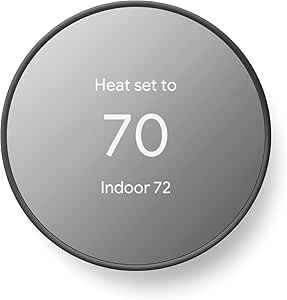 | Best for Simple DIY Scheduling | Connectivity: Wi-Fi and Bluetooth | Wi-Fi standards: 802.11b/g/n 2.4 GHz; 802.11a/n 5 GHz | Wireless interconnect: Bluetooth Low Energy | VIEW LATEST PRICE | See Our Full Breakdown |
| Honeywell Home X2S Smart Wi-Fi Thermostat |  | Best for Matter-Based Scheduling | Model: RTH2SMC/N | System compatibility: Up to 2 heat/2 cool conventional; up to 2 heat/1 cool heat pump with electric backup | Supported heating: Hot water heat and forced air (gas, oil, or electric) | VIEW LATEST PRICE | See Our Full Breakdown |
| Honeywell Home T5 Smart Wi-Fi Thermostat |  | Best for Flexible Scheduling | Model: RTH8800WF2022 | Connectivity: Wi-Fi | System control: Heating and cooling | VIEW LATEST PRICE | See Our Full Breakdown |
| Vine Smart Wi-Fi Thermostat with Large Knob and Nightlight |  | Best for Hands-On Controls | Model: ST300 | Connectivity: Wi-Fi | Display: 3.5-inch LCD touchscreen | VIEW LATEST PRICE | See Our Full Breakdown |
| Amazon Smart Thermostat with Alexa and Ring Compatibility |  | Best for Alexa Homes | Model: S6ED3R | Dimensions: 3.56 × 3.56 × 0.84 inches | Wi-Fi: 2.4 GHz, 802.11 b/g/n; does not support 5 GHz | VIEW LATEST PRICE | See Our Full Breakdown |
| Sensi Smart Thermostat (ST55) – Wi-Fi, DIY, Alexa, Energy Star Certified |  | Best for DIY Installation | Connectivity: Wi-Fi | Compatible equipment: Air conditioner, boiler, furnace, and heat pump | Smart-home compatibility: Amazon Alexa, Apple HomeKit, Google Assistant, SmartThings, and Vera | VIEW LATEST PRICE | See Our Full Breakdown |
| ecobee Smart Thermostat Essential Wi-Fi Thermostat |  | Best for Automatic Comfort | Model: Smart Thermostat Essential | Connectivity: Wi-Fi | Display: 3.74-inch LCD touchscreen | VIEW LATEST PRICE | See Our Full Breakdown |
| smart thermostats for home | Connectivity | Power | Display | Controls |
|---|---|---|---|---|
| Sensi Lite Wi-Fi Smart Thermos | Wi-Fi; requires 2.4 GHz | 2 AAA batteries or C-wire | LCD | App, touch, voice |
| Honeywell Home RTH9585WF1004 W | Wi-Fi | — | — | Touchscreen, voice |
| Google Nest Smart Thermostat | Wi-Fi | — | — | Google Home app, compatible voice assistants |
| Google Nest Thermostat Smart T | Wi-Fi, 2.4 GHz and 5 GHz | Battery powered | LCD, 1.07-inch screen | Button control, voice |
| Vine Wi-Fi Smart Thermostat wi | Wi-Fi | — | LCD | App, voice, touch |
| Google Nest Learning Thermosta | — | Battery powered; one CR2 battery included | Touchscreen | Google Home app, voice, and button |
| ecobee Smart Thermostat Enhanc | Wi-Fi | Corded electric; 24 volts | 4-inch LCD screen | — |
| ecobee Smart Thermostat Premiu | Wi-Fi | — | — | — |
| Google Nest Smart Thermostat | Wi-Fi and Bluetooth | Battery powered; two A batteries included | 2-inch LCD | Remote and voice |
| Honeywell Home X2S Smart Wi-Fi | Wi-Fi 2.4 or 5 GHz and Matter | C-wire required; 24 VAC | — | — |
| Honeywell Home T5 Smart Wi-Fi | Wi-Fi | 24 volts; C-wire or compatible adapter may be required | 4.95-inch LCD touchscreen | — |
| Vine Smart Wi-Fi Thermostat wi | Wi-Fi | Hardwired; C-wire required | 3.5-inch LCD touchscreen | — |
| Amazon Smart Thermostat with A | — | C-wire or separately sold power adapter kit | — | — |
| Sensi Smart Thermostat | Wi-Fi | 24V AC with two AA batteries included | 5-inch LED screen | App, touch, and voice |
| ecobee Smart Thermostat Essent | Wi-Fi | Homes without a C-wire may require a separately sold Power Extender Kit | 3.74-inch LCD touchscreen | — |
More Details on Our Top Picks
Sensi Lite Wi-Fi Smart Thermostat, ST25
The Sensi Lite ST25 is a strong fit for homeowners who want app-based scheduling without making a C-wire a given: it works without one in most homes, and its installation instructions and built-in level support a DIY setup. Geofencing, remote access, and usage reports add ways to manage heating and cooling when routines change. Compared with the Honeywell Home RTH9585WF1004, Sensi is more flexible about wiring, while Honeywell offers a customizable color touchscreen and requires a C-wire. Sensi’s tradeoff is that compatibility still depends on the HVAC system; some heating-only, cooling-only, and heat-pump setups need a C-wire or power accessory. It also requires 2.4 GHz Wi-Fi, so households using only other Wi-Fi bands should check their network before choosing it.
Pros:- Works without a C-wire in most homes
- DIY instructions and built-in level support installation
- Includes scheduling, geofencing, remote access, and usage reports
- App, touch, and voice controls work with Alexa, Google Assistant, and SmartThings
Cons:- Some heating-only, cooling-only, and heat-pump systems need a C-wire or compatible power accessory
- Requires a 2.4 GHz Wi-Fi connection
Best for: Homeowners who want DIY installation, app scheduling, and a thermostat that may work without adding a C-wire
Not ideal for: People with HVAC systems that require a C-wire or power accessory, or homes without 2.4 GHz Wi-Fi
- Model:ST25
- Connectivity:Wi-Fi; requires 2.4 GHz
- Compatible systems:Air conditioner, boiler, furnace, heat pump
- Power:2 AAA batteries or C-wire
- Controls:App, touch, voice
- Smart home compatibility:Amazon Alexa, Google Assistant, SmartThings
- Display:LCD
- Warranty:3 years
Our verdict“Choose the Sensi Lite if you want a practical, DIY-friendly smart thermostat and your HVAC setup supports its wiring options.”
Honeywell Home RTH9585WF1004 Wi-Fi Smart Color Thermostat
The Honeywell Home RTH9585WF1004 makes sense for buyers who want the thermostat itself to be a clear, configurable control point. Its color touchscreen and flexible schedule holds make it easier to change settings at the wall or set different routines for regular and vacation periods. Remote app control, energy reports, equipment reminders, and temperature and humidity alerts add useful context for managing a home. Compared with the Sensi Lite ST25, Honeywell puts more emphasis on the wall display but requires a C-wire; Sensi can work without one in many homes. That wiring requirement narrows Honeywell’s audience, and it does not support 120–240 V electric baseboard heat. Buyers should confirm both their system type and wiring before choosing this model.
Pros:- Customizable color touchscreen
- Flexible schedules with permanent, temporary, and vacation holds
- Remote control through the app and compatible voice assistants
- Energy reports, equipment reminders, and indoor temperature and humidity alerts
Cons:- Requires a C-wire, including for heating-only oil furnace systems
- Does not work with 120–240 V electric baseboard heat
Best for: Homeowners with a compatible, C-wire-equipped HVAC system who prefer a customizable wall touchscreen and scheduled hold options
Not ideal for: People with 120–240 V electric baseboard heat or without a C-wire at the thermostat
- Model:RTH9585WF1004
- Connectivity:Wi-Fi
- Compatible systems:Forced-air gas, oil, or electric; hot water; steam; heat pumps with electric backup
- C-wire:Required
- Incompatible systems:120–240 V electric baseboard heat
- Controls:Touchscreen, voice
- Smart home compatibility:Amazon Alexa, Google Home
- Energy certification:ENERGY STAR
Our verdict“Pick Honeywell if your system is compatible and you value a feature-rich touchscreen more than flexible wiring.”
Google Nest Smart Thermostat, Programmable Wi-Fi Thermostat, Fog
The Google Nest Smart Thermostat in Fog suits households that already organize smart-home controls through Google Home. App scheduling and remote temperature adjustments make it possible to change the plan when the household’s routine shifts, while automatic adjustments when people leave can help avoid heating or cooling an empty home. HVAC alerts and maintenance reminders add a layer of system awareness beyond basic scheduling. Compared with the Honeywell Home RTH9585WF1004, this Nest can work without a C-wire in many homes, though some systems still need one or a power accessory; Honeywell requires a C-wire outright. The Nest’s setup is described as typically taking 30 minutes or less, but compatibility varies across heating, cooling, zone-controlled, and heat-pump systems. Remote and voice features also depend on working internet and Wi-Fi.
Pros:- Scheduling and remote control through the Google Home app
- Can adjust temperature when occupants leave
- Includes HVAC alerts and maintenance reminders
- ENERGY STAR certified and compatible with Alexa and Matter-certified voice assistants
Cons:- Some heating, cooling, zone-controlled, and heat-pump systems need a C-wire or compatible power accessory
- Remote, notification, and voice features require working internet and Wi-Fi
Best for: Google Home households seeking app scheduling, away adjustments, and HVAC alerts in a thermostat that may not need a C-wire
Not ideal for: Homes with zone-controlled or other HVAC systems that require extra wiring, or households without reliable Wi-Fi
- Color:Fog
- Connectivity:Wi-Fi
- System compatibility:Approximately 85% of heating and cooling systems
- C-wire:Not required in most homes; some systems require one
- Controls:Google Home app, compatible voice assistants
- Voice assistant compatibility:Google Assistant, Alexa, Matter-certified voice assistants
- Installation time:Typically 30 minutes or less
- Certification:ENERGY STAR
Our verdict“Choose this Nest if Google Home is central to your household and your HVAC system passes the compatibility check.”
Google Nest Thermostat Smart Thermostat for Home – Programmable Wi-Fi Thermostat (Snow)
The Google Nest Thermostat in Snow offers app-based temperature control and voice commands for homes that want remote access without making a C-wire necessary in every installation. Its listed support for 2.4 GHz and 5 GHz Wi-Fi gives network flexibility, while Google Home, Alexa, and other voice assistants make it easier to fit into a mixed smart-home setup. ENERGY STAR certification and programmable operation support routine-based temperature management. Compared with the Fog Nest in this lineup, the Snow model’s listed specs call out its Wi-Fi bands, battery power, and button control; the Fog listing highlights away adjustments and HVAC reminders. This model’s compact 1.07-inch screen and button control offer less at-wall interface detail than Honeywell’s color touchscreen. Some HVAC systems still need extra power, and batteries need periodic replacement.
Pros:- Supports 2.4 GHz and 5 GHz Wi-Fi
- Remote app control and voice commands through compatible assistants
- Can operate without a C-wire in most homes
- ENERGY STAR certified
Cons:- Some heating-only, cooling-only, zone-controlled, and heat-pump systems may need a C-wire or power accessory
- Battery-powered operation requires periodic battery replacement
- Small screen and button control provide a simpler at-wall interface than the Honeywell color touchscreen
Best for: Households with 2.4 GHz and 5 GHz Wi-Fi that want remote app or voice control and a simple button-operated thermostat
Not ideal for: Buyers who want a large, detailed touchscreen or need assurance their HVAC system will work without extra power wiring
- Color:Snow
- Connectivity:Wi-Fi, 2.4 GHz and 5 GHz
- Power:Battery powered
- Voltage:24 volts
- Display:LCD, 1.07-inch screen
- Controls:Button control, voice
- C-wire:Not required in most homes; some systems may require one or a power accessory
- Temperature control:Heating and cooling
Our verdict“Pick the Snow Nest if its Wi-Fi flexibility and remote controls matter more to you than a larger touchscreen.”
Vine Wi-Fi Smart Thermostat with Alexa and Google Assistant, 7-Day Programmable, C-Wire Required
The Vine Wi-Fi Smart Thermostat is a straightforward choice for people who want to set a different heating or cooling routine for each day and manage it by app, touch, or voice. Home/Away adjustments, temperature alerts, filter reminders, and a child lock extend its usefulness beyond a basic programmable schedule. Compared with the Sensi Lite ST25, Vine makes the C-wire requirement explicit, which may suit a planned installation but rules out some wiring situations where Sensi can work without one. Vine supports several compatible 24V systems, including conventional systems and heat pumps, but that compatibility does not extend beyond supported 24V HVAC setups. Installation guides and videos are included, though buyers should verify wiring and system compatibility before starting.
Pros:- Supports 7-day programmable schedules
- Automatic Home/Away adjustments, temperature alerts, and filter reminders
- App, touch, and voice controls with Alexa and Google Assistant
- Includes installation guides and videos
Cons:- Requires a C-wire
- Compatibility is limited to supported 24V HVAC systems
Best for: Households with a compatible 24V system and C-wire that want separate daily schedules, alerts, and child locking
Not ideal for: People without a C-wire or with HVAC equipment outside the thermostat’s supported 24V system types
- Model number:B0FFBC4MV4
- Connectivity:Wi-Fi
- Compatible systems:Compatible 24V systems, including conventional systems, heat pumps, and heat-only or cool-only systems
- Power requirement:C-wire required
- Programming:7-day schedules
- Controls:App, voice, touch
- Voice assistants:Amazon Alexa, Google Assistant
- Display:LCD
Our verdict“Choose Vine if you have a compatible C-wire setup and want detailed weekly scheduling with household alerts.”
Google Nest Learning Thermostat (4th Generation) with Nest Temperature Sensor (2nd Generation) – Obsidian
Adaptive scheduling is the main reason I’d put this Nest ahead of simpler programmable models: it learns preferred temperatures and routines, so home comfort can adjust without relying on a fixed schedule alone. The included Nest Temperature Sensor also gives it an advantage over the Google Nest Smart Thermostat, which lacks a bundled room sensor; that can help address a hot or cold room instead of treating the thermostat’s location as the whole house.
It suits homes with common 24V HVAC systems and often avoids the need for a C-wire, while app and voice controls add flexibility. The tradeoff is a greater dependence on the Google Home app for some features, and system compatibility still needs checking. Choose the less feature-rich Nest if you want basic scheduling; this model makes more sense when adapting comfort across rooms is the priority.
Pros:- Learns temperature preferences and adapts to household routines.
- Includes a sensor to help address room-to-room hot and cold spots.
- Works with many common 24V HVAC systems and usually does not need a C-wire.
- Supports app, voice, and Matter-connected control.
Cons:- Compatibility depends on the home’s specific HVAC system.
- Some features depend on the Google Home app and compatible smart-home devices.
Best for: Households with uneven room temperatures that want a learning schedule and an included sensor.
Not ideal for: Buyers who want straightforward programmable controls without relying on the Google Home app or checking HVAC compatibility.
- HVAC compatibility:Most 24V heating and cooling systems
- Supported systems:Gas, electric, oil, forced air, heat pump, and radiant
- C-wire:Not required in most homes
- Smart home compatibility:Google Assistant, Alexa, Siri, and Matter
- Controls:Google Home app, voice, and button
- Display:Touchscreen
- Power:Battery powered; one CR2 battery included
- Included sensor:Nest Temperature Sensor (2nd generation)
Our verdict“Choose this Nest if you want adaptive scheduling plus a room sensor, and prefer it to the basic Google Nest Thermostat for its included room-by-room support.”
ecobee Smart Thermostat Enhanced, Wi-Fi Programmable Thermostat
I’d pick the ecobee Smart Thermostat Enhanced for homes that want occupancy-based adjustments and broad platform support without moving up to the Premium model. It works with Alexa, Google Assistant, and Apple HomeKit, giving it wider listed controller compatibility than the Google Nest Learning Thermostat, whose strengths center on learning and its bundled temperature sensor.
The included Power Extender Kit helps with installation in homes without a C-wire, and occupancy and schedule adjustments can reduce the need to manage settings manually. The tradeoff is that room-by-room sensing requires a separately purchased SmartSensor, while the Nest Learning Thermostat includes a sensor in the box. I’d favor this ecobee when platform flexibility matters more than bundled room sensing; check the specific HVAC setup before installation.
Pros:- Supports Alexa, Android, Apple HomeKit, Google Assistant, and iOS.
- Occupancy and schedule features adjust temperature automatically.
- Includes a Power Extender Kit for installations without a C-wire.
- Works with a wide range of HVAC systems.
Cons:- Room-by-room comfort sensing requires a separately purchased SmartSensor.
- Compatibility should be checked against the home’s specific HVAC system.
Best for: Smart-home households using Alexa, Google Assistant, or Apple HomeKit that want occupancy adjustments and a C-wire workaround.
Not ideal for: Buyers who want an included room sensor or whose HVAC setup has not been checked for compatibility.
- HVAC compatibility:Compatible with 90% of HVAC systems
- Supported systems:Air conditioner, boiler, furnace, heat pump, and humidifier
- Controller compatibility:Amazon Alexa, Android, Apple HomeKit, Google Assistant, and iOS
- Connectivity:Wi-Fi
- Display:4-inch LCD screen
- Power:Corded electric; 24 volts
- Included accessories:Power Extender Kit, trim kit, and one lithium-ion battery
- Warranty:3 years
Our verdict“Choose the Enhanced for broad smart-home compatibility and occupancy adjustments, but pick the Nest Learning Thermostat if you want a room sensor included.”
ecobee Smart Thermostat Premium with Wi-Fi, Siri and Alexa, and SmartSensor
The ecobee Smart Thermostat Premium bundles more than temperature control: an included SmartSensor, air-quality monitoring, and a built-in smart speaker with Siri or Alexa make it the most feature-packed choice here. Compared with the ecobee Smart Thermostat Enhanced, it adds the room sensor and air-quality tools instead of making you add a sensor separately. That combination can suit a home where comfort and indoor air information belong in the same control point.
It also includes a Power Extender Kit and trim kit, and can connect to a wired ecobee Smart Doorbell Camera. Those extras come with tradeoffs: Siri needs an Apple home hub, and smoke-alarm sound alerts require an ecobee Smart Security subscription. I’d choose the Enhanced if you only need scheduling and occupancy response; the Premium earns its distinct role when its added sensing and speaker features will be used.
Pros:- Includes a SmartSensor for occupancy-aware comfort in another room.
- Built-in air-quality monitor provides alerts and furnace filter reminders.
- Built-in speaker supports Siri and Alexa features.
- Includes a Power Extender Kit and trim kit.
Cons:- Siri requires an Apple home hub.
- Smoke-alarm sound alerts require an ecobee Smart Security subscription.
Best for: Homeowners who want room sensing, air-quality alerts, and voice features integrated into one thermostat.
Not ideal for: Buyers seeking basic smart scheduling, or those unwilling to use an Apple home hub for Siri or subscribe for smoke-alarm sound alerts.
- HVAC compatibility:Compatible with 95% of HVAC systems; check before purchase
- Connectivity:Wi-Fi
- Voice assistants:Siri and Alexa
- Included sensor:SmartSensor
- Air-quality features:Built-in monitor with alerts and furnace filter reminders
- Smart speaker:Built in
- Installation accessories:Power Extender Kit and trim kit
- Warranty:3 years
Our verdict“Choose the Premium over the ecobee Enhanced when you’ll use its included sensor, air-quality monitoring, and speaker features.”
Google Nest Smart Thermostat, Programmable Wi-Fi, Charcoal
This Google Nest Thermostat is the simpler Nest choice for buyers who want app-based schedules, remote adjustments, and temperature changes when the home is unoccupied. HVAC alerts and maintenance reminders add useful oversight without the learning and bundled room sensor offered by the Nest Learning Thermostat. That difference is also the point: this model focuses on straightforward scheduling rather than adapting to a routine or addressing room-to-room variation with a sensor.
DIY installation is a selling point, though some systems need a C-wire or compatible power accessory. Wi-Fi and internet are needed for remote controls and notifications, and voice operation needs a compatible device. Compared with the ecobee Smart Thermostat Enhanced, it has fewer listed smart-home platforms and no included Power Extender Kit. I’d choose it for a Google Home-centered setup and basic scheduling, after checking wiring and HVAC compatibility.
Pros:- Adjusts temperature when the home is unoccupied.
- Supports programmable schedules and remote control through Google Home.
- Provides HVAC alerts and maintenance reminders.
- Designed for DIY installation.
Cons:- Some systems require a C-wire or compatible power accessory.
- Remote controls and notifications depend on internet and Wi-Fi.
- Voice control requires a compatible device.
Best for: Google Home users who want remote scheduling, away adjustments, and HVAC reminders in a DIY-oriented thermostat.
Not ideal for: Households needing an included room sensor, wide platform compatibility, or operation without reliable Wi-Fi for remote features.
- Connectivity:Wi-Fi and Bluetooth
- Wi-Fi standards:802.11b/g/n 2.4 GHz; 802.11a/n 5 GHz
- Wireless interconnect:Bluetooth Low Energy
- Display:2-inch LCD
- Power:Battery powered; two A batteries included
- Voltage:24 volts
- Energy certification:ENERGY STAR
- Controls:Remote and voice
Our verdict“Choose this Nest for basic DIY scheduling in a Google Home setup, while the Learning Thermostat is better suited to adaptive routines and room sensing.”
Honeywell Home X2S Smart Wi-Fi Thermostat
The Honeywell Home X2S makes sense for buyers who want conventional scheduling and Matter connectivity across Alexa, Google Assistant, and Apple HomeKit. Its range of schedule formats, auto-away setting, filter reminders, and optional humidity display give it practical control without the adaptive learning or room sensor of the Google Nest Learning Thermostat. The difference is a more direct setup: choose a schedule pattern, then use app or button controls.
C-wire power is required, which makes installation less flexible than the Nest models that often work without one and the ecobee Enhanced, which includes a Power Extender Kit. It also excludes 120–240V electric baseboard heat, so system fit is a firm constraint. I’d choose the X2S for a compatible conventional or heat-pump system with existing C-wire and a preference for Matter; skip it if wiring or baseboard compatibility is uncertain.
Pros:- Matter certified with Alexa, Google Assistant, and Apple HomeKit compatibility.
- Offers several schedule formats plus auto-away.
- Can display indoor humidity and provide filter reminders.
- Includes interchangeable white and gray decorative accent pieces.
Cons:- Requires a C-wire for power.
- Does not support 120–240V electric baseboard heat.
Best for: Homeowners with a compatible 24V system and C-wire who want flexible schedules and Matter support across major platforms.
Not ideal for: Homes with 120–240V electric baseboard heat, no C-wire, or buyers seeking learning schedules and included room sensing.
- Model:RTH2SMC/N
- System compatibility:Up to 2 heat/2 cool conventional; up to 2 heat/1 cool heat pump with electric backup
- Supported heating:Hot water heat and forced air (gas, oil, or electric)
- Connectivity:Wi-Fi 2.4 or 5 GHz and Matter
- Smart home compatibility:Amazon Alexa, Google Assistant, and Apple HomeKit
- Scheduling:7-day, 5-1-1-day, 5-2-day, 1-week, or non-programmable
- Power:C-wire required; 24 VAC
- Excluded compatibility:120–240V electric baseboard heat
- Warranty:2 years
Our verdict“Choose the X2S for schedule flexibility and Matter control when your compatible HVAC system already has a C-wire.”
Honeywell Home T5 Smart Wi-Fi Thermostat
The Honeywell Home T5 suits households that want a weekly routine with location-based adjustments. Its 7-day schedule and geofencing let you set different temperatures through the week and reduce heating or cooling when the home is empty. Compared with the Amazon Smart Thermostat, the T5 works with Alexa, Google Assistant, and Apple HomeKit, giving buyers more platform choice. Its touchscreen and reports also make schedule changes and energy patterns easier to see on the thermostat itself. The tradeoff is installation: some systems need a C-wire or compatible adapter, and the supplied compatibility details exclude heating-only oil furnaces without a C-wire. I’d choose it for a mixed-platform household with compatible HVAC; buyers seeking the simplest power setup should compare it with the Sensi ST55.
Pros:- 7-day programming supports different routines for each day
- Geofencing and auto-away can adjust temperatures when residents leave
- Works with Alexa, Google Assistant, and Apple HomeKit
- ENERGY STAR certified with monthly energy reports and efficiency tips
Cons:- A C-wire or compatible power adapter may be needed
- Does not support heating-only oil furnace systems without a C-wire
Best for: Households with compatible heating and cooling that want weekly schedules, geofencing, and a choice of major smart-home platforms
Not ideal for: Homes with a heating-only oil furnace and no C-wire, or buyers who want to avoid checking wiring before installation
- Model:RTH8800WF2022
- Connectivity:Wi-Fi
- System control:Heating and cooling
- Compatible systems:Air conditioner, furnace, and heat pump
- Scheduling:7-day programmable
- Smart-home compatibility:Amazon Alexa, Google Assistant, and Apple HomeKit
- Display:4.95-inch LCD touchscreen
- Power:24 volts; C-wire or compatible adapter may be required
Our verdict“Choose the T5 if you want detailed weekly scheduling and broad platform support and your wiring and HVAC system are compatible.”
Vine Smart Wi-Fi Thermostat with Large Knob and Nightlight
The Vine ST300 is the pick for people who prefer a physical control they can turn instead of relying on an app or voice assistant. Its large knob, touchscreen, and dimmable nightlight make quick adjustments straightforward, while child lock can help keep settings from being changed accidentally. Like the Honeywell Home T5, it offers 7-day scheduling and geofencing-style home and away automation; Vine also includes a knob that the T5’s touchscreen-focused controls do not provide. The limitation is a firm C-wire requirement, plus compatibility restricted to supported 24V systems. Alexa and Google Assistant are supported, but Apple HomeKit is not listed. I’d pick this for a compatible home where direct controls matter more than broad ecosystem support or flexible wiring options.
Pros:- Physical knob and touchscreen give two direct ways to adjust settings
- Dimmable nightlight helps make the controls visible in a dark room
- 7-day scheduling, geofencing, and Auto Home/Away mode support routine automation
- Child lock helps prevent unintended changes
Cons:- Requires a C-wire
- Limited to supported 24V HVAC systems
- Apple HomeKit compatibility is not listed
Best for: Households with a compatible 24V HVAC system that want a physical knob, visible touchscreen, and child lock
Not ideal for: Homes without a C-wire or Apple HomeKit users who want the thermostat in that ecosystem
- Model:ST300
- Connectivity:Wi-Fi
- Display:3.5-inch LCD touchscreen
- Control methods:Physical knob, touchscreen, app, and voice
- Voice assistants:Amazon Alexa and Google Assistant
- Scheduling:7-day programmable
- System compatibility:Many 24V AC conventional, heat pump, heat-only, or cool-only systems
- Power:Hardwired; C-wire required
Our verdict“Choose the Vine ST300 if you want a knob-first thermostat and have a compatible 24V system with a C-wire.”
Amazon Smart Thermostat with Alexa and Ring Compatibility
The Amazon Smart Thermostat makes the most sense in a home already organized around Alexa or Ring. Control through either app, a compatible Echo, or the thermostat’s buttons gives residents several ways to make changes, and the Alexa app provides guided installation. Presence and routine-based adjustments can reduce manual schedule changes, while humidity sensing, vacation mode, and emergency heat mode add useful controls. Compared with the Honeywell Home T5, this model is more closely tied to Alexa and Ring; it does not list Google Assistant or Apple HomeKit support. It also needs a C-wire or separately sold adapter, uses 2.4 GHz Wi-Fi only, and is not for 110–240V systems such as electric baseboard heat. I’d skip it if your household uses a different smart-home platform or your HVAC wiring falls outside its compatibility range.
Pros:- Control through the Alexa app, Ring app, compatible Echo devices, or on-device buttons
- Presence and routine-based adjustments can reduce manual temperature changes
- Includes humidity sensing, vacation mode, and emergency heat mode
- Alexa app offers guided installation
Cons:- Requires a C-wire or separately sold power adapter kit
- Supports 2.4 GHz Wi-Fi only
- Not compatible with 110–240V HVAC systems such as electric baseboard heat
Best for: Alexa and Ring households with compatible 24V HVAC that want app-guided setup and presence-based adjustments
Not ideal for: Apple HomeKit or Google Assistant households, homes on 5 GHz-only Wi-Fi, and homes with electric baseboard heat
- Model:S6ED3R
- Dimensions:3.56 × 3.56 × 0.84 inches
- Wi-Fi:2.4 GHz, 802.11 b/g/n; does not support 5 GHz
- HVAC compatibility:Most 24V systems, including forced air, heat pump, and radiant boiler
- Control methods:Alexa app, Ring app, compatible Echo, and three on-device touch buttons
- Features:Humidity sensing, schedules, emergency heat, vacation mode, and energy dashboard
- Power:C-wire or separately sold power adapter kit
- Certifications:ENERGY STAR and ECOLOGO Gold
Our verdict“Choose this thermostat if Alexa or Ring is already central to your home and your HVAC system and wiring are compatible.”
Sensi Smart Thermostat (ST55) – Wi-Fi, DIY, Alexa, Energy Star Certified
The Sensi ST55 stands out for buyers who want a guided DIY installation and may not have a C-wire. Its built-in level and app instructions help with mounting and setup, while the product description says a common wire is unnecessary in most homes. That gives it a practical installation advantage over the Amazon Smart Thermostat and Vine ST300, both of which require a C-wire or adapter. It also supports Alexa, Google Assistant, Apple HomeKit, and other listed platforms, plus scheduling, remote access, filter reminders, and usage reports. The tradeoff is that smart and remote controls depend on Wi-Fi, and the two AA batteries need eventual replacement. I’d favor it for homeowners who want platform flexibility and a more approachable install; buyers seeking built-in automatic scheduling can compare it with the ecobee Smart Thermostat Essential.
Pros:- Built-in level and step-by-step app guidance support DIY installation
- Does not require a C-wire in most homes
- Compatible with Alexa, Apple HomeKit, Google Assistant, SmartThings, and Vera
- Filter indicator and usage reports support HVAC upkeep and energy tracking
Cons:- Wi-Fi is needed for full remote and smart functionality
- Two AA batteries require periodic replacement
Best for: DIY-minded homeowners who want app-guided installation, broad voice-assistant compatibility, and may lack a C-wire
Not ideal for: Households without reliable Wi-Fi for remote features or buyers who prefer not to replace backup batteries
- Connectivity:Wi-Fi
- Compatible equipment:Air conditioner, boiler, furnace, and heat pump
- Smart-home compatibility:Amazon Alexa, Apple HomeKit, Google Assistant, SmartThings, and Vera
- Display:5-inch LED screen
- Controls:App, touch, and voice
- Power:24V AC with two AA batteries included
- Installation features:Built-in level and step-by-step app guidance
- Additional features:Programmable scheduling, filter indicator, and usage reports
Our verdict“Choose the Sensi ST55 if you want a guided DIY setup and broad platform support, especially if your system lacks a C-wire.”
ecobee Smart Thermostat Essential Wi-Fi Thermostat
The ecobee Smart Thermostat Essential is aimed at households that want the thermostat to handle more of the day-to-day adjustment. Its auto-scheduling and auto-away features can adapt temperature management around routines and occupancy, while fan control and indoor humidity detection add ways to manage comfort. Compared with the Honeywell Home T5, which emphasizes a 7-day programmable schedule and geofencing, the ecobee highlights automatic adjustments and a broad list of supported 24 VAC equipment, including dual fuel systems and boilers. Its color touchscreen and app provide two control routes, and it works with Alexa, Google Assistant, and Apple HomeKit. The tradeoffs are that a Power Extender Kit may be needed without a C-wire and the SmartSensor is sold separately. I’d choose it for automatic comfort features, but buyers wanting a supplied room sensor should look elsewhere.
Pros:- Auto-scheduling and auto-away support hands-off temperature adjustments
- Works with Alexa, Google Assistant, and Apple HomeKit
- Listed for a wide range of 24 VAC equipment, including dual fuel and boilers
- Touchscreen and app controls offer on-device and remote operation
Cons:- Homes without a C-wire may need a separately sold Power Extender Kit
- SmartSensor is sold separately
Best for: Households with compatible 24 VAC equipment that want automatic scheduling, auto-away, and app or touchscreen control
Not ideal for: Homes without a C-wire that want to avoid buying an additional power kit, or buyers who expect a room sensor in the box
- Model:Smart Thermostat Essential
- Connectivity:Wi-Fi
- Display:3.74-inch LCD touchscreen
- HVAC compatibility:Most 24 VAC systems, including gas, oil, electric, dual fuel, forced air, heat pumps, and boilers
- Smart-home compatibility:Apple HomeKit, Google Assistant, and Amazon Alexa
- Features:Auto-away, auto-scheduling, fan control, programmable temperature control, and humidity detection
- Power:Homes without a C-wire may require a separately sold Power Extender Kit
- Certification:ENERGY STAR certified
Our verdict“Choose the ecobee Essential if automatic comfort adjustments and broad 24 VAC compatibility matter more than an included room sensor.”
How We Picked
I ranked these thermostats by how well they help a household manage comfort day to day: scheduling and automation, remote controls, room-sensing options, and compatibility with voice assistants and smart-home systems. I also weighed the practical experience of setup and use, including whether the model calls for a C-wire and whether its controls work for someone who would rather adjust the temperature at the wall.
The ecobee Enhanced leads because it covers the needs of many households without requiring the extra features of the Premium model. The Amazon Smart Thermostat ranks as a straightforward value-oriented choice for Alexa users, while the Nest Learning Thermostat earns a distinct place for buyers who want more automation. The remaining models are ordered by their fit for particular priorities, from basic remote scheduling to color displays and simple physical controls. Before choosing, I’d verify each model’s HVAC compatibility, wiring needs, and ecosystem support; product names alone do not settle those questions.
| smart thermostats for home | Connectivity |
|---|---|
| Sensi Lite Wi-Fi Smart Thermos | Wi-Fi; requires 2.4 GHz |
| Honeywell Home RTH9585WF1004 W | Wi-Fi |
| Google Nest Smart Thermostat | Wi-Fi |
| Google Nest Thermostat Smart T | Wi-Fi, 2.4 GHz and 5 GHz |
| Vine Wi-Fi Smart Thermostat wi | Wi-Fi |
| Google Nest Learning Thermosta | — |
| ecobee Smart Thermostat Enhanc | Wi-Fi |
| ecobee Smart Thermostat Premiu | Wi-Fi |
| Google Nest Smart Thermostat | Wi-Fi and Bluetooth |
| Honeywell Home X2S Smart Wi-Fi | Wi-Fi 2.4 or 5 GHz and Matter |
| Honeywell Home T5 Smart Wi-Fi | Wi-Fi |
| Vine Smart Wi-Fi Thermostat wi | Wi-Fi |
| Amazon Smart Thermostat with A | — |
| Sensi Smart Thermostat | Wi-Fi |
| ecobee Smart Thermostat Essent | Wi-Fi |
Factors to Consider When Choosing Smart Thermostats For Home
Smart thermostats differ most in how they fit your heating and cooling system, household routines, and appetite for automation. I’d settle those practical questions before comparing app features, since a mismatch can turn a promising feature set into an inconvenient installation.
Check HVAC and Wiring Compatibility First
Start by identifying your system type and checking the thermostat maker’s compatibility information. Heating-only systems, heat pumps, multi-stage equipment, and systems with separate heating and cooling controls may need different wiring support. A C-wire can provide continuous power, but some homes lack one at the wall. Do not assume a thermostat will work because it has Wi-Fi or because its product family includes another compatible model. Photographing the existing wiring and checking the equipment labels can help you compare the right specifications. If the wiring or system type remains unclear, an HVAC professional can identify it before you buy.
Decide How Much Automation You Want
Automation can mean a fixed weekly schedule, app-based adjustments, or a thermostat that adapts based on occupancy and routine. The more a device changes settings on its own, the more important it is to understand how to review and override those changes. A schedule you set yourself may be easier for households with unusual hours or several people adjusting the temperature. Learning features can reduce routine adjustments for buyers with predictable patterns, though they still need an initial setup period and occasional checks. Choose the level of automation you expect to use, rather than treating the longest feature list as the best fit. A clear manual override matters when guests, weather, or a change in routine disrupts the usual pattern.
Think About Temperatures Beyond the Hallway
A thermostat reads the temperature where it is mounted, which may not match a bedroom, upstairs office, or sunny living room. Room sensors can help address that mismatch by giving the system readings from other locations, depending on the thermostat’s scheduling and sensor rules. They do not change how a home’s ducts or insulation distribute air, so they cannot solve every hot or cold spot. Before buying sensors, identify which room causes the problem and whether it needs attention at a particular time of day. This can prevent paying for sensors that add data without changing comfort where it matters. If uneven temperatures are severe, airflow and insulation may deserve attention alongside thermostat choice.
Match the Thermostat to Your Smart-Home Setup
Check which voice assistants and connected devices a model supports, then compare that list with the system your household already uses. Alexa compatibility may be useful in an Amazon-centered home, while Nest and ecobee models offer different options across their supported platforms. Support for a voice assistant does not automatically mean every routine, sensor, or connected product will work together. Consider who will control the thermostat: a shared app, voice commands, or the wall unit may be easiest for different household members. If you do not use smart-home routines today, simple remote control and a readable schedule might matter more than extensive integrations. Compatibility can also change by feature, so check the specific functions you plan to use.
Choose Controls Everyone Can Use
App controls are convenient when you are away, but they are only one part of daily use. Someone who prefers a dial, knob, or clear on-screen display may value physical controls more than extra app options. Color screens can make schedules and current settings easier to read, while simpler displays can keep adjustments direct. Think about whether children, guests, or relatives need to change the temperature without installing an app or learning a voice command. A device that feels intuitive to the least tech-oriented person in the home can reduce confusion and unwanted setting changes. Check the interface details before buying, since smart features do not guarantee easy wall controls.
Weigh Ongoing Convenience Against Added Features
Higher-feature models can add room sensors, built-in voice controls, or more detailed system monitoring, but those extras help only when they solve a real household problem. A premium thermostat may make sense if you want a central smart-home control point or rely on remote room readings. If your main goal is setting a weekly schedule and adjusting it from an app, a simpler model may cover the need with fewer features to configure. Also check whether sensors are included or sold separately, and whether the functions you want depend on a subscription or another hub. Compare the time required to set up and maintain the system, not just the initial feature list. The right choice is the one whose added capabilities will change your everyday routine for the better.
Frequently Asked Questions
How can I tell if a smart thermostat will work with my HVAC system?
Write down your system type and the wire labels connected to the existing thermostat, then compare them with the manufacturer’s compatibility checker. Look for specific support for heat pumps, multi-stage systems, and any auxiliary heat your setup uses. A C-wire requirement can affect installation, and wire adapters or alternative power arrangements vary by model. Do not rely on a photo of the thermostat front or a similar model’s specifications. If the labels are missing or the system’s configuration is unclear, have an HVAC professional identify it before ordering.
Should I choose a learning thermostat or set my own schedule?
Choose a learning model if you want the thermostat to adjust around recurring routines and you are comfortable reviewing what it learns. A manual schedule can be more predictable for shift workers, households with changing routines, or anyone who wants direct control over temperature changes. Learning does not remove the need to configure preferences or make occasional corrections. In either case, check that the thermostat offers an easy way to override a setting temporarily. Your routine and tolerance for automatic changes matter more than the label “smart.”
Do I need room sensors if my home has uneven temperatures?
A room sensor can help a thermostat account for temperatures in a room away from its wall location, particularly when that room matters at a certain time of day. First identify whether the issue is a specific room or a broader heating and cooling imbalance. Sensors report conditions; they do not repair blocked vents, poor insulation, or duct problems. Check how a thermostat uses sensor readings, since some models let you choose which rooms count at different times. If the comfort problem is persistent across the home, investigate airflow before relying on sensors alone.
Can I install a smart thermostat myself if my home has no C-wire?
Possibly, but the answer depends on your HVAC system and the particular thermostat’s power options. Some models require a C-wire, while others may support an adapter or another manufacturer-approved approach. Check the installation instructions for your exact model before starting, and confirm the wiring at both the thermostat and equipment ends when instructions call for it. Incorrect wiring can stop heating or cooling from working, so do not guess based on wire color alone. If you cannot confidently match the wiring diagram, get help from a qualified installer.
Will a thermostat from one smart-home brand work with my voice assistant?
Possibly, but compatibility varies by model and by the features you want to control. Confirm support for your assistant on the specific thermostat’s product page, then check whether the integration includes basic temperature changes, schedules, and sensor functions. A device may respond to voice commands without supporting every routine or connected accessory. Also consider whether household members can use the thermostat’s app and wall controls if the voice assistant is unavailable. For a home already built around Alexa, Google, or Apple services, staying within a supported ecosystem can simplify setup.
Conclusion
For the broadest balance of app control, smart-home support, and room-sensor capability, I’d choose the ecobee Smart Thermostat Enhanced as best overall. The Amazon Smart Thermostat is my value-oriented pick for an Alexa household that wants straightforward controls, while the ecobee Smart Thermostat Premium is the best premium fit for buyers who will use its extra capabilities. For beginners who want a familiar approach, I’d look at the Vine Smart Wi-Fi Thermostat with Large Knob and Nightlight; confirm its wiring and system fit first. Choose the Nest Learning Thermostat if automatic scheduling is your priority, or a Sensi model if its particular compatibility and feature set fit your system. Whichever you pick, check HVAC and wiring compatibility before choosing by app features alone.