
TL;DR

Get home appliances delivered free with Prime
- Fast, free delivery on millions of items
- Prime Video, Amazon Music and more included
- Member-only deals all year
Building your own AI workstation used to be cheaper, but in 2026, prebuilt systems often cost less due to component shortages and bulk buying. The decision now hinges on control, speed, support, and future upgrades, not just price.
Imagine this: your AI project is ready to roll, but your custom build hits a wall—parts are out of stock, or prices skyrocket. Suddenly, buying a ready-made machine becomes not just faster but smarter. This shift in 2026 is game-changing. The old rule—build for savings, buy for speed—no longer holds. Now, it’s a complex dance of cost, control, and confidence. Whether you’re a researcher on a deadline or a hobbyist chasing performance, understanding this new landscape will save you time, money, and headaches.
In this article, I’ll walk you through the real tradeoffs—when building makes sense, and when buying is the smarter move. Plus, I’ll share tips on how to maximize your choice, so your AI workstation becomes a powerhouse that works for you, not against you.
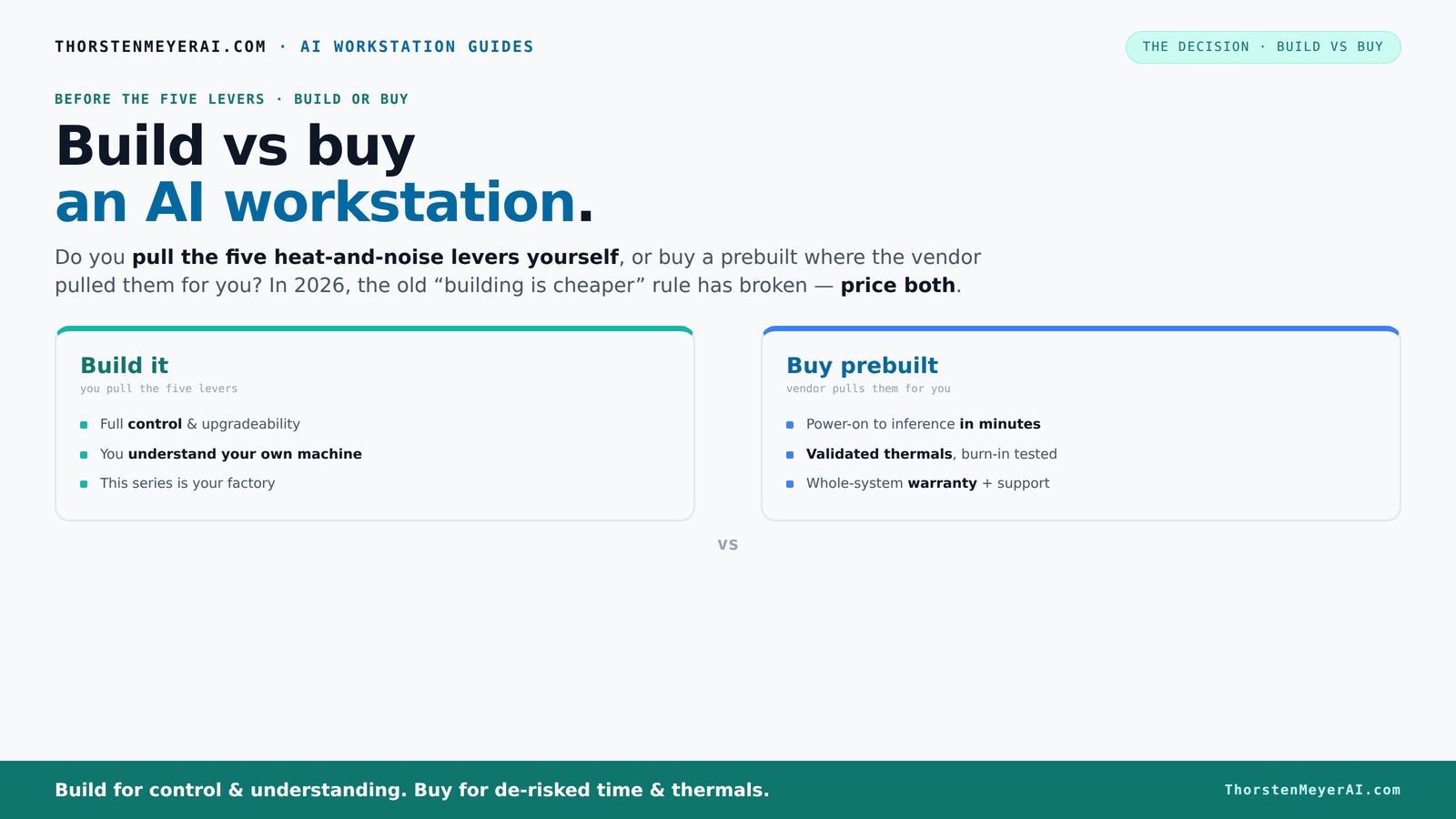
Build vs buy
an AI workstation.
The real question behind this whole series: do you pull the five heat-and-noise levers yourself, or buy a prebuilt where the vendor pulled them for you? And in 2026, the old “building is cheaper” rule has broken. Match your situation in Part 3.
Key Takeaways
- In 2026, prebuilt AI workstations often cost as much as, or less than, DIY builds due to component shortages and bulk buying.
- Vendors test, validate, and optimize thermal and noise performance, saving you hours and reducing risk.
- Building your own rig offers unmatched control, customization, and upgrade flexibility, ideal for hobbyists and specialists.
- For quick deployment, reliable support, and complex multi-GPU setups, prebuilt is usually the smarter choice.
- Your decision should prioritize your needs—speed, cost, or control—since the old rule of cheaper DIY no longer applies.
As an affiliate, we earn on qualifying purchases.
Why 2026 Changes Everything About Cost and Speed
Forget what you knew about DIY being cheaper. In 2026, component shortages and price spikes have flipped the script. DDR5 RAM, high-end GPUs, and SSDs have all surged in cost. A build that once cost under $1,000 now easily climbs above $1,250, even before adding an OS license.
Meanwhile, big vendors bought components early, locking in lower prices. They now offer systems that are competitive—sometimes even cheaper—than piecing together parts yourself. This isn’t just about price; it’s about how quickly you can get your hands on a reliable, tested machine. The old rule—build cheap, buy fast—no longer applies. Now, the decision hinges on matching your needs with the real-world costs today, not assumptions from years past.
Understanding this shift is crucial because it impacts your strategic planning. When component prices are volatile or out of stock, the time and effort spent on building can outweigh potential savings. The implications are significant: you might be better off investing in a prebuilt that’s ready to go, especially if time-to-completion is critical. This change also emphasizes the importance of vendor validation—knowing that your system has been tested for thermal performance and stability can save hours of troubleshooting down the line.
As an affiliate, we earn on qualifying purchases.
Who Pulls the Thermal and Noise Levers—You or the Vendor?
A high-performance AI workstation is basically a furnace—heat, noise, and thermal management are everything. When you buy a prebuilt, the vendor handles the cooling, fan tuning, and thermal validation. They run stress tests, optimize airflow, and often include water-cooling options to keep noise down. You get a system that’s ready to handle sustained loads without throttling.
If you build, you’re the heat engineer. You choose quiet GPUs, undervolt, select the right cooler, set up airflow, and tune fans. It’s a rewarding challenge—knowing you’ve engineered your own cooling masterpiece. But it takes time, skill, and patience. For example, a DIY builder might spend hours fine-tuning fan curves to keep noise under 30 decibels during long training runs, while a prebuilt already hits that mark out of the box.
This decision isn’t just about convenience; it’s about understanding the implications of thermal management on performance, longevity, and user experience. Vendors’ validation processes mean you get a system optimized for stability and noise reduction, which can be critical for long-term reliability. Conversely, DIY tuning offers the chance to customize cooling and noise levels precisely to your environment and preferences, but at the cost of additional time and expertise. The tradeoff boils down to whether you prioritize ease and reliability or control and customization.
As an affiliate, we earn on qualifying purchases.
Build or Buy? When a Prebuilt Wins Big
| Scenario | Why Prebuilt Is Better |
|---|---|
| Fast deployment needed | Prebuilts come with OS and AI tools installed. Power on and go—no sourcing parts, no BIOS tweaks. This is especially critical when project timelines are tight or urgent, as it minimizes delays and setup errors. The ability to start training models within hours can be the difference between meeting or missing deadlines, making prebuilt systems invaluable in high-pressure scenarios. |
| High-end multi-GPU setups | Vendors validate cooling, power delivery, and airflow for complex, multi-GPU rigs. DIY is possible but tricky and risky, often requiring extensive testing and modification. Prebuilts designed specifically for multi-GPU configurations ensure stability and reduce the likelihood of thermal throttling or hardware failure, which can be costly and time-consuming to troubleshoot later. |
| Warranty and support are a priority | Prebuilts include warranties, expert support, and burn-in testing. When hardware issues arise, having professional support can save days or weeks of downtime. This is especially important for critical research or production environments where system failure is not an option. |
| Limited technical skills or time | Skip the guesswork, avoid compatibility pitfalls, and reduce troubleshooting time. Prebuilts are assembled with tested components, ensuring compatibility and stability, which is vital if you lack the time or expertise to troubleshoot hardware issues. This allows you to focus on your core work rather than system maintenance. |
For example, Lambda’s AI systems are tested for hours, ensuring no thermal throttling, which saves you hours of trial and error. If you’re running models for production or research, that reliability can be worth every extra dollar. This reliability isn’t just about performance but also about peace of mind, knowing your system has been optimized and validated for your workload. It reduces the risk of unexpected downtime, which can have significant operational and financial consequences.
As an affiliate, we earn on qualifying purchases.
When Building Your Own AI Rig Makes Sense
Building your own AI workstation shines when customization and control matter most. If you enjoy tinkering, or need specific components that aren’t available prebuilt, DIY is the way to go. The ability to select each component allows you to optimize for specific workloads, noise levels, or energy efficiency, resulting in a machine tailored precisely to your needs. Additionally, custom builds can incorporate the latest hardware as soon as it’s available, giving you a potential performance edge.
Imagine choosing a super-quiet GPU, undervolting it for lower power draw and noise, and selecting a case with thick sound-dampening panels. You can tailor your setup to run cooler and quieter than most prebuilt options. Plus, upgrading becomes a breeze—swap in a faster GPU or add more RAM as your needs grow. This flexibility means your system can evolve with your projects, extending its lifespan and maintaining peak performance.
For instance, a hobbyist who spends weekends fine-tuning airflow and undervolting a GPU like the RTX 4090 can create a machine that’s both whisper-quiet and blisteringly fast. The control is satisfying, and the knowledge gained is priceless. This process also deepens your understanding of hardware, which can be beneficial for troubleshooting and future upgrades, making it a rewarding investment beyond just performance.
The Final Call: Price, Time, or Control?
Deciding whether to build or buy boils down to your priorities. Want rapid deployment and support? Go prebuilt. Need total control and customization? Build your own. And don’t forget—cost isn’t static. Today, prebuilt systems often match DIY on price, especially with shortages, but this can vary depending on your specific configuration and market conditions.
If you’re pressed for time, prefer a warranty, or plan multi-GPU setups, a prebuilt might be your best bet. If you love tinkering, want to learn, or have very specific needs, building remains compelling. It’s also worth considering that building allows you to strategically select components for future upgrades, potentially extending the system’s relevance and performance lifespan.
Remember, the best choice aligns with what you value most—speed, cost, or control. The landscape has shifted, so reevaluate your options with fresh eyes and consider not just immediate costs but also long-term flexibility and satisfaction.
Frequently Asked Questions
Is it really cheaper to build my own AI workstation in 2026?
Not always. Due to component shortages and bulk buying, prebuilt systems often match or beat DIY costs today. Always compare prices for your exact configuration before deciding.How long does it take to get a prebuilt AI system ready to go?
Prebuilts are designed for rapid deployment. You can often power them on and start working within an hour, with OS and AI tools preinstalled, saving you days of setup time.Do I need a custom build for multi-GPU AI training?
While possible DIY, multi-GPU setups are complex—power delivery, cooling, and airflow are critical. Vendors like Lambda validate these systems, making prebuilt a safer, more reliable choice.What’s more future-proof: building or buying?
Building usually offers better upgrade paths—swap in new GPUs, add RAM, or switch storage. Prebuilts can be upgraded, but often have limited options due to chassis and motherboard choices.Which brands are most reliable for prebuilt AI workstations?
Trusted brands like Lambda, Puget Systems, and BIZON are known for quality, thermal validation, and support. Always check specific warranty and support options for your needs.Conclusion
In 2026, the choice between build and buy isn’t straightforward anymore. It’s a strategic decision—balancing cost, speed, control, and confidence. The best approach depends on what matters most to you: rapid deployment, tailored performance, or the thrill of building it yourself.
Remember, the market has shifted. Sometimes, buying a prebuilt saves hours and headaches—and often costs less than piecing together parts. Your perfect AI workstation might just be a click away, ready to power your next breakthrough.
Fall yard work Picks
leaf blowers
As an affiliate, we earn on qualifying purchases.