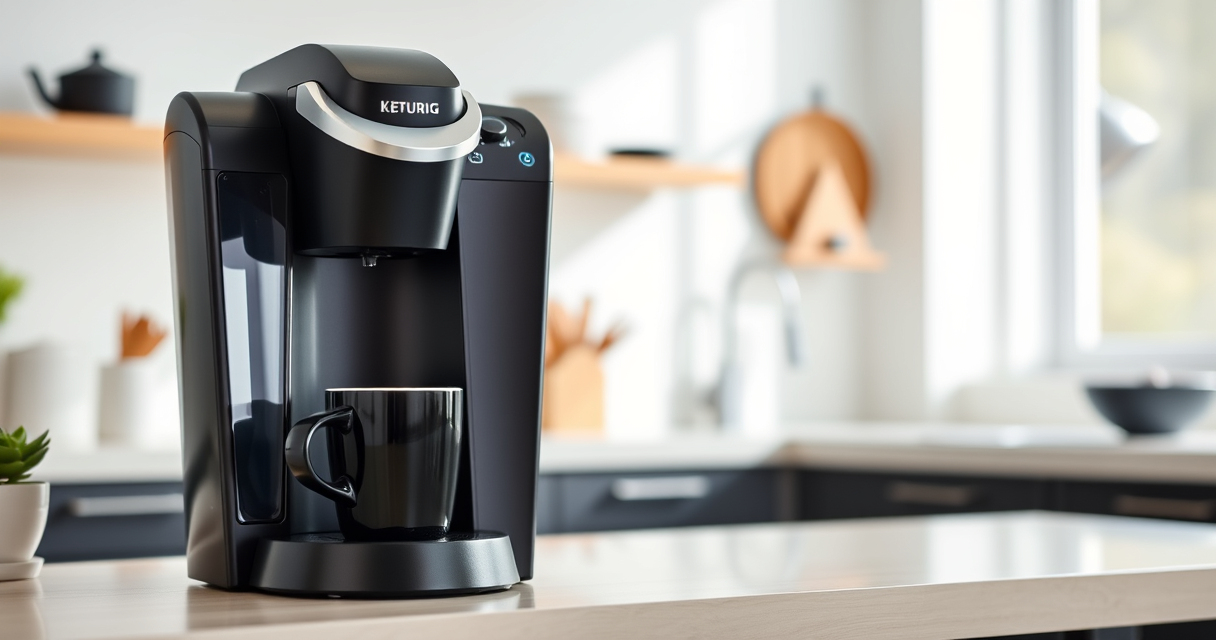

If you’re a Keurig K-Mini owner, keeping your coffee maker in top shape is essential for a great brew every morning. Over time, issues like poor brewing, mineral buildup, or leaks can disrupt your routine. This guide provides clear, step-by-step instructions to troubleshoot common problems and care tips to prolong your brewer’s lifespan.

Get home appliances delivered free with Prime
- Fast, free delivery on millions of items
- Prime Video, Amazon Music and more included
- Member-only deals all year
Whether you’re experiencing slow brewing, flavor carryover, or just want to keep your Keurig running smoothly, these practical tips will help you resolve issues safely and effectively.
Key Takeaways
| Regular Cleaning | Keep your brewer clean to maintain optimal flavor and performance. |
| Descaling Frequency | Descale every 3-6 months to prevent mineral buildup. |
| Troubleshooting Basics | Identify common issues like leaks, slow brewing, or error messages. |
| Use Proper Accessories | Use compatible filters like My K-Cup for ground coffee. |
| Safety First | Always unplug before cleaning or troubleshooting. |
Identifying Common Keurig Problems
Before diving into troubleshooting, it’s important to recognize typical issues with your Keurig K-Mini. Common problems include the machine not turning on, water not dispensing, slow brewing, or error messages on the display. These can often be resolved with simple steps, but recognizing the root cause helps you choose the right solution.
For instance, if the brewer isn’t turning on, it could be an electrical issue or a problem with the power cord. If water isn’t flowing, it might be due to blockages or mineral buildup. Understanding these signs will guide your maintenance approach.
Basic Troubleshooting Steps
- Check Power and Connections: Ensure the power cord is plugged in securely. Test the outlet with another device to confirm power availability.
- Reset the Machine: Unplug your Keurig, wait 30 seconds, then plug it back in to reset.
- Inspect Water Reservoir: Make sure the reservoir is seated correctly and filled with fresh water.
- Clear Blockages: Remove the drip tray and check for any clogs or debris. Clean with a damp cloth.
- Run a Test Brew: Brew a small cup to see if the issue persists. If brewing is slow, move to descaling.
Cleaning and Descaling Your Keurig
Regular cleaning is vital for optimal performance. Mineral deposits from water can clog internal parts, causing slow brewing or error messages. Follow these steps for effective cleaning:
- Use Rinse Pods: Run a rinse cycle with Keurig rinse pods to clear out residue.
- Descale with Solution: Use a descaling solution, such as the Keurig Descaling Kit, every 3-6 months to remove mineral buildup.
- Clean the Needle: Gently clean the needle with a paperclip to prevent clogs.
- Wash Removable Parts: Regularly wash the drip tray and water reservoir with warm, soapy water.
Using Reusable Filters and Ground Coffee
If you prefer ground coffee over K-Cups, the My K-Cup® Reusable Coffee Filter is a great addition. Ensure it is compatible with your model and cleaned regularly to avoid flavor carryover or clogging. Fill it with your favorite ground coffee, insert it into the brew basket, and run your usual cycle. This not only saves money but also allows for personalized blends.
Safety Tips and Precautions
Always unplug your Keurig before cleaning or troubleshooting to prevent electrical shock. Use only recommended cleaning products and descaling solutions. Avoid submerging the machine in water and keep the power cord away from water spills. If you notice persistent leaks, strange noises, or error codes, consult the user manual or contact customer support before attempting repairs.
The Products in This Guide

Keurig K-Mini Single Serve K-Cup Pod Coffee Maker
- ✔ Capacity: 6-12 oz
- ✔ Size: Less than 5 inches wide
- ✔ Color: Black

My K-Cup® Reusable Coffee Filter
- ✔ Material: Plastic
- ✔ Compatibility: K-Mini
- ✔ Capacity: Single cup
Keurig K-Mini Single Serve K-Cup Pod Coffee Maker
<p>The Keurig K-Mini Single Serve K-Cup Pod Coffee Maker is perfect for small spaces, offering quick, fresh brews with minimal fuss. Its simple design makes it easy to clean and maintain, ensuring consistent performance.</p>
Pros:
- Compact size fits in tight spaces
- Brews 6-12oz cups quickly
- Removable drip tray for easy cleaning
- Energy-efficient with auto off
Cons:
- Limited water reservoir capacity
- No built-in milk frother
- Not compatible with all reusable filters
Best for: Small kitchens, offices, dorms, or travel setups
Not ideal for: For users needing larger capacity or advanced features
Bottom line: Ideal for small spaces needing quick, efficient coffee brewing.
My K-Cup® Reusable Coffee Filter
<p>The My K-Cup® Reusable Coffee Filter allows you to brew your favorite ground coffee with your Keurig, giving you more control over flavor and cost. Compatibility with the Keurig K-Mini makes it an excellent accessory for personalized brewing.</p>
Pros:
- Eco-friendly and cost-saving
- Brews with fresh ground coffee
- Easy to clean
- Compatible with multiple models
Cons:
- Requires regular cleaning
- May clog if not maintained
- Limited to ground coffee only
Best for: Coffee enthusiasts who prefer ground coffee
Not ideal for: For those exclusively using K-Cup pods
Bottom line: A versatile addition for ground coffee lovers seeking fresh flavor.
Frequently Asked Questions
How often should I descale my Keurig K-Mini?
Descale your Keurig K-Mini every 3 to 6 months or when you notice slower brewing times or mineral deposits.
Why is my Keurig not brewing properly?
Common causes include mineral buildup, clogs, or a faulty water reservoir. Regular cleaning and descaling often resolve these issues.
Can I use ground coffee in my Keurig?
Yes, with the My K-Cup® Reusable Coffee Filter, you can brew ground coffee instead of K-Cups.
What should I do if my Keurig displays an error message?
Check the user manual for specific error codes, and try basic troubleshooting like resetting, cleaning, or descaling. Contact support if issues persist.
Is it safe to clean my Keurig with vinegar?
Vinegar can be used for descaling, but it’s recommended to use a Keurig-approved descaling solution to avoid damaging the machine.
Keep Your Keurig K-Mini Brewing Perfectly
Maintaining your Keurig K-Mini doesn’t have to be complicated. Regular cleaning, descaling, and proper use of accessories like reusable filters will ensure your coffee stays flavorful and your machine runs smoothly. Follow these simple steps to troubleshoot common issues and enjoy your favorite brews every day.
Affiliate disclosure: As an Amazon Associate we earn from qualifying purchases. Prices and availability are accurate as of the time of publishing.
Cold & flu season Picks
humidifiers
As an affiliate, we earn on qualifying purchases.