If your Instant Pot 4QT RIO Mini is showing a burn error, it can be frustrating, especially when you’re eager to enjoy a quick meal. This common issue often occurs due to food sticking to the bottom, improper sealing, or insufficient liquid. Fortunately, with careful troubleshooting, you can resolve the problem and get back to cooking without hassle.

Get home appliances delivered free with Prime
- Fast, free delivery on millions of items
- Prime Video, Amazon Music and more included
- Member-only deals all year
In this guide, we’ll walk you through practical steps to identify the cause of the burn error and fix it safely, ensuring your pressure cooker functions properly again.
Key Takeaways
| Check the Bottom | Food sticking or burning on the pot’s base triggers errors. |
| Add Sufficient Liquid | Ensure there’s enough liquid to create steam for pressure buildup. |
| Inspect the Sealing Ring | A worn or improperly fitted sealing ring can cause pressure issues. |
| Avoid Overfilling | Fill only up to the recommended level to prevent burning. |
| Stir and Scrape | Scrape the bottom before cooking to remove stuck food and prevent burning. |
Step 1: Turn Off and Release Pressure
- Press the ‘Cancel’ button to turn off the Instant Pot.
- Carefully release the pressure according to your model’s instructions, either naturally or using the quick-release method.
Step 2: Open and Check the Pot
Open the lid once all pressure has been released. Inspect the bottom of the inner pot for any stuck or burnt food. Clean the bottom thoroughly with a non-abrasive sponge and warm water. Wipe the heating element area to remove any residue that might cause burning errors.
Step 3: Add Enough Liquid and Adjust Food
- Ensure there is at least 1 to 1.5 cups of liquid in the bottom of the inner pot, as insufficient liquid often causes burn errors.
- Stir or scrape the food to loosen any stuck bits, preventing them from burning during the next cook cycle.
Step 4: Check the Sealing Ring and Lid
Inspect the sealing ring for cracks, warping, or debris. Replace it if necessary (see recommended product below). Make sure the lid is sealed properly, with the steam release handle in the ‘Sealing’ position.
Step 5: Restart and Monitor
- Close the lid securely, ensuring the sealing ring is in place.
- Select your cooking program and start the pressure cycle.
- Keep an eye on the pressure indicator and listen for any unusual noises. If the burn error appears again, repeat the cleaning and checking steps.
The Products in This Guide

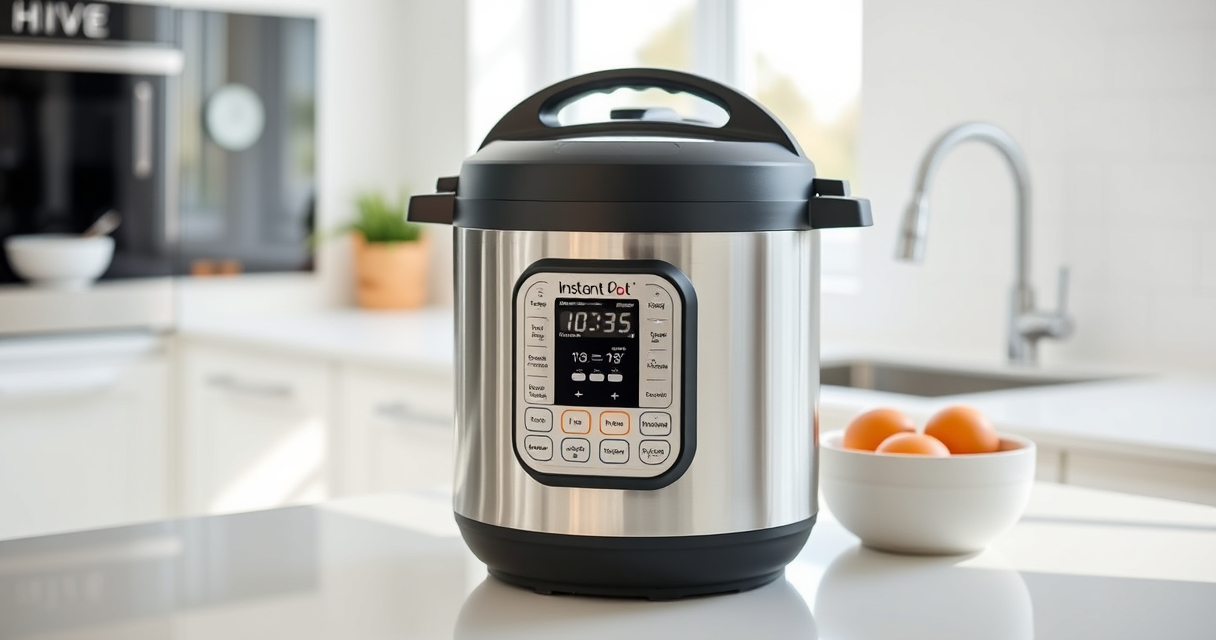
Instant Pot 4QT RIO Mini 7-in-1 Multi-Cooker
- ✔ Capacity: 4 Quarts
- ✔ Functions: 7-in-1
- ✔ Material: Plastic and stainless steel

AOZITA Steamer Basket
- ✔ Material: Stainless Steel
- ✔ Capacity: Fits 6 & 8 qt
- ✔ Design: 2-tier stackable
Instant Pot 4QT RIO Mini 7-in-1 Multi-Cooker
The Instant Pot 4QT RIO Mini is a compact, 7-in-1 appliance perfect for small households. It offers pressure cooking, slow cooking, sautéing, steaming, rice making, yogurt, and warming in one device. Its anti-spin design helps prevent food from sticking and burning, making it easier to troubleshoot burn errors.
Pros:
- Compact size ideal for small families
- Multiple cooking functions in one device
- Anti-spin design prevents sticking
- Quick cooking speeds
Cons:
- Limited capacity for larger meals
- Small size may require batch cooking
- Learning curve for new users
Best for: Small households, students, and quick meal prep
Not ideal for: Cooking large meals or multiple servings at once
Bottom line: A versatile, space-saving pressure cooker perfect for everyday small meals.
AOZITA Steamer Basket
The AOZITA Steamer Basket enhances your Instant Pot by allowing you to steam vegetables, eggs, and more with ease. Its 2-tier design maximizes cooking efficiency, making it a great accessory for avoiding burn errors caused by food sticking or uneven heating.
Pros:
- Two-tier stackable design
- Made of durable stainless steel
- Easy to use and clean
- Great for steaming multiple foods
Cons:
- Requires extra space in the pot
- May need to adjust cooking times for different foods
- Not compatible with very large models
Best for: Steaming vegetables, eggs, and small portions
Not ideal for: Cooking large quantities or heavy-duty steaming
Bottom line: A versatile steamer basket that expands your Instant Pot’s capabilities.
Frequently Asked Questions
Why does my Instant Pot keep showing a burn error?
This usually happens due to food sticking to the bottom, insufficient liquid, or a faulty sealing ring. Cleaning the pot and ensuring proper liquid levels often resolve this.
How much liquid do I need to prevent the burn error?
Typically, at least 1 to 1.5 cups of liquid is recommended for most recipes to generate enough steam and prevent burning.
Can I use a different sealing ring?
Yes, using a compatible sealing ring, like the Instant Pot Sealing Ring, can help ensure a proper seal and reduce burn errors. Replace it if it shows signs of wear.
What should I do if cleaning doesn’t fix the burn error?
If cleaning and adjusting liquid levels don’t help, check the sealing ring and lid for damage, and consider replacing the sealing ring or contacting support.
Mastering Your Instant Pot for Trouble-Free Cooking
A burn error can be frustrating, but with careful cleaning, proper liquid levels, and checking the sealing components, you can resolve the issue effectively. Regular maintenance and mindful cooking practices ensure your Instant Pot remains a reliable kitchen companion for years to come.
Affiliate disclosure: As an Amazon Associate we earn from qualifying purchases. Prices and availability are accurate as of the time of publishing.
Columbus Day / Indigenous Peoples' Day Picks
long weekend sales
As an affiliate, we earn on qualifying purchases.