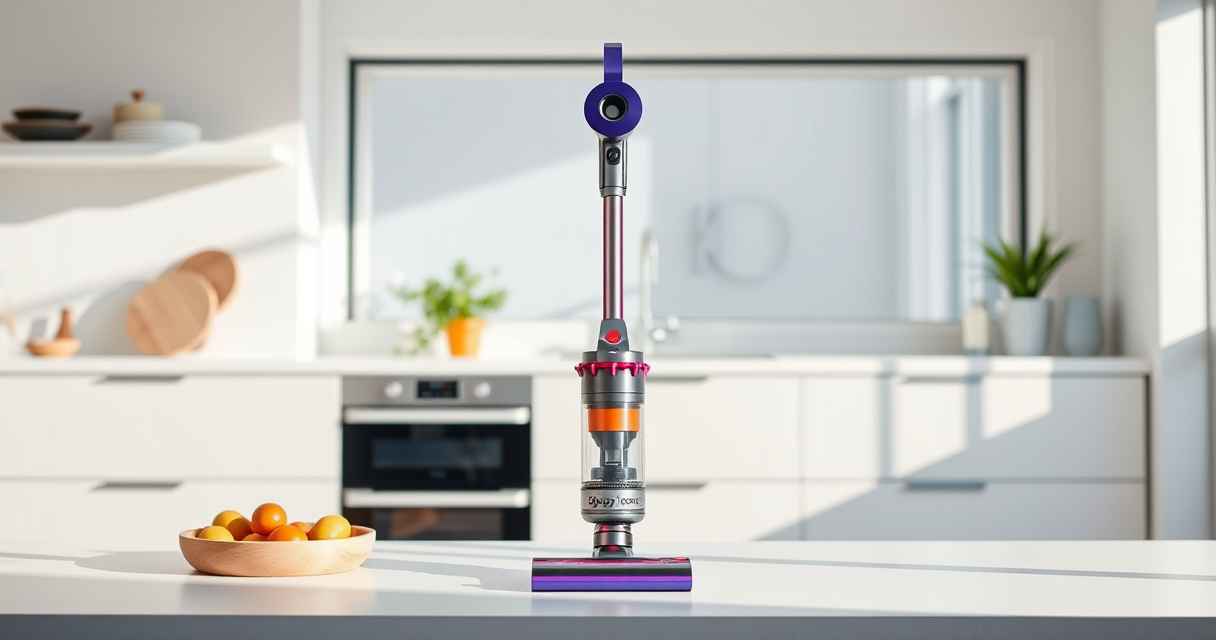
If your Dyson V15 Detect™ Origin Cordless Vacuum isn’t providing suction, it can be frustrating. Fortunately, most suction issues are fixable with simple troubleshooting steps. This guide will help you identify common causes and smoothly restore your vacuum’s performance.

Get home appliances delivered free with Prime
- Fast, free delivery on millions of items
- Prime Video, Amazon Music and more included
- Member-only deals all year
Follow these practical, safe steps to diagnose and fix your Dyson vacuum, ensuring it works efficiently again.
Key Takeaways
| Common causes | Clogged filters, blockages, or full dustbin can reduce suction. |
| Regular maintenance | Cleaning filters and clearing obstructions restores optimal performance. |
| Check for blockages | Inspect hoses, nozzles, and cleaner heads for debris. |
| Replace parts as needed | Worn or dirty filters and parts impact suction. |
Check and Empty the Dustbin
- Remove the vacuum from the charging dock and turn it off.
- Detach the dustbin according to the user manual.
- Empty the dustbin completely into your trash.
- Ensure the dustbin is securely reattached before use.
Inspect and Clean the Filters
Filters can clog over time, reducing suction. Remove the pre-filter and main filter from the vacuum.
Rinse filters under cold water until clear, then let them air dry completely (at least 24 hours) before reinstalling. Consider replacing filters if they are damaged or excessively dirty.
Clear Blockages in Nozzle and Hose
- Detach the cleaner head and hose from the vacuum body.
- Inspect for debris, hair, or obstructions in the nozzle, hose, and wand.
- Use a long, flexible brush or stick to gently dislodge and remove obstructions.
- Reassemble once clear.
Check for Clogs or Obstructions in the Cleaner Head
Remove the Digital Motorbar cleaner head and examine for tangled hair or debris. Clean out any blockages carefully and ensure the brush bar rotates freely.
Test and Restart
Reassemble all parts, turn on the vacuum, and test suction. If the vacuum still lacks power, proceed to replace filters or contact support.
The Products in This Guide

Dyson V15 Detect™ Origin Cordless Vacuum
- ✔ Color: Yellow/Gray
- ✔ Charge Time: 3.5 hours
- ✔ Weight: 6.8 lbs

LANMU Crevice Tool Vacuum Attachments Compatible
- ✔ Nozzle Width: 1.2 inches
- ✔ Weight: 0.3 lbs
- ✔ Color: Black/Yellow
Dyson V15 Detect™ Origin Cordless Vacuum
<p>The Dyson V15 Detect™ Origin delivers exceptional cleaning performance with intelligent features like particle detection and floor adaptation. Regularly maintaining filters and clearing blockages keeps it performing at its best.</p>
Pros:
- Powerful suction and intelligent detection
- Long battery life with 60-minute runtime
- Versatile with multiple cleaner heads
- LCD screen for real-time updates
Cons:
- Filters require periodic cleaning or replacement
- Can be heavy for extended handheld use
- Costly replacement filters
Best for: Deep cleaning homes, pet owners, hard-to-reach areas
Not ideal for: Light cleaning tasks or budget-conscious buyers
Bottom line: The Dyson V15 Detect™ Origin offers powerful, smart cleaning but requires regular maintenance to prevent suction issues.
LANMU Crevice Tool Vacuum Attachments Compatible
<p>The LANMU Crevice Tool Attachments are a versatile addition to your Dyson V15, helping you reach tight corners, edges, and narrow spaces effortlessly.</p>
Pros:
- Narrow, flexible nozzle
- Compatible with multiple Dyson models
- Eases cleaning in tight spots
- Durable construction
Cons:
- Additional attachment needed for full cleaning kit
- May be too slim for larger debris
- Requires regular cleaning of the nozzle
Best for: Cleaning edges, gaps, and detailed areas
Not ideal for: Heavy debris removal or large surface cleaning
Bottom line: A helpful tool that enhances your Dyson’s reach and cleaning precision in tight spaces.
Frequently Asked Questions
Why does my Dyson vacuum have no suction?
Common reasons include clogged filters, blockages in hoses or nozzles, full dustbin, or worn filters. Regular maintenance can prevent or fix these issues.
How often should I clean or replace filters?
Clean filters every 1-3 months depending on usage. Replace filters if they become damaged or excessively dirty, typically every 6-12 months.
What should I do if cleaning and filter checks don’t restore suction?
Check for blockages in the hose, wand, and cleaner head. Ensure all parts are properly reassembled and functioning. If the issue persists, contact Dyson support.
Can I use other attachments to fix suction issues?
Yes, attachments like crevice tools can help reach and clear partial blockages or debris in hard-to-access areas.
Keep Your Dyson V15 Detect in Peak Condition
With regular cleaning, filter maintenance, and prompt removal of blockages, your Dyson cordless vacuum can deliver optimal suction and cleaning performance. Troubleshooting these common issues ensures your device remains effective for all your cleaning needs.
Affiliate disclosure: As an Amazon Associate we earn from qualifying purchases. Prices and availability are accurate as of the time of publishing.
Cold & flu season Picks
humidifiers
As an affiliate, we earn on qualifying purchases.