If your Dyson V15 Detect™ Origin cordless vacuum is pulsing on and off during use, it can be frustrating and hinder your cleaning. This issue often relates to motor, filter, or battery problems, but can usually be resolved with some simple troubleshooting steps. This guide walks you through practical, safe fixes to restore your vacuum’s performance.

Get home appliances delivered free with Prime
- Fast, free delivery on millions of items
- Prime Video, Amazon Music and more included
- Member-only deals all year
Before attempting any fixes, ensure your vacuum is turned off and disconnected from charging to prevent injury or damage. Follow this step-by-step approach to identify and resolve the pulsing problem efficiently.
Key Takeaways
| Check for blockages | Clear obstructions in the wand, cleaner head, and filters. |
| Inspect filters | Dirty or clogged filters can cause pulsing; clean or replace as needed. |
| Examine battery | A faulty or overheated battery may trigger pulsing; consider replacement. |
| Assess motor and connections | Loose connections or motor issues can lead to pulsing; inspect and secure. |
| Perform regular maintenance | Maintaining filters and cleaning components prevents pulsing. |
1. Power Off and Check for Blockages
- Turn off your Dyson vacuum and unplug it from the charger.
- Detach the wand and cleaner head to inspect for debris or obstructions.
- Remove any hair, dust, or debris that might be blocking airflow.
- Reassemble the parts securely before testing again.
2. Clean or Replace the Filters
Dirty filters can cause the vacuum to pulse by restricting airflow. Remove the pre-filters and main filters as per the manual. Rinse washable filters with water and let them air dry completely before reinstalling. If filters are excessively worn or damaged, replace them with suitable replacements.
3. Check the Battery and Charging Port
- Ensure the vacuum is fully charged; a low or faulty battery can cause power fluctuations.
- Inspect the charging port and cable for damage or debris.
- If the battery shows signs of overheating or age, consider replacing it or contacting Dyson support for assistance.
4. Examine the Motor and Electrical Connections
Loose or damaged wiring can cause intermittent power delivery. Carefully check visible wiring and connections inside the vacuum. If you’re uncomfortable with internal inspection, seek professional repair or contact Dyson support.
5. Perform Maintenance and Reset
After cleaning filters and checking connections, reset your vacuum by turning it off, then on again. Regular maintenance, including filter replacement every 2-3 months, helps prevent pulsing issues.
The Products in This Guide

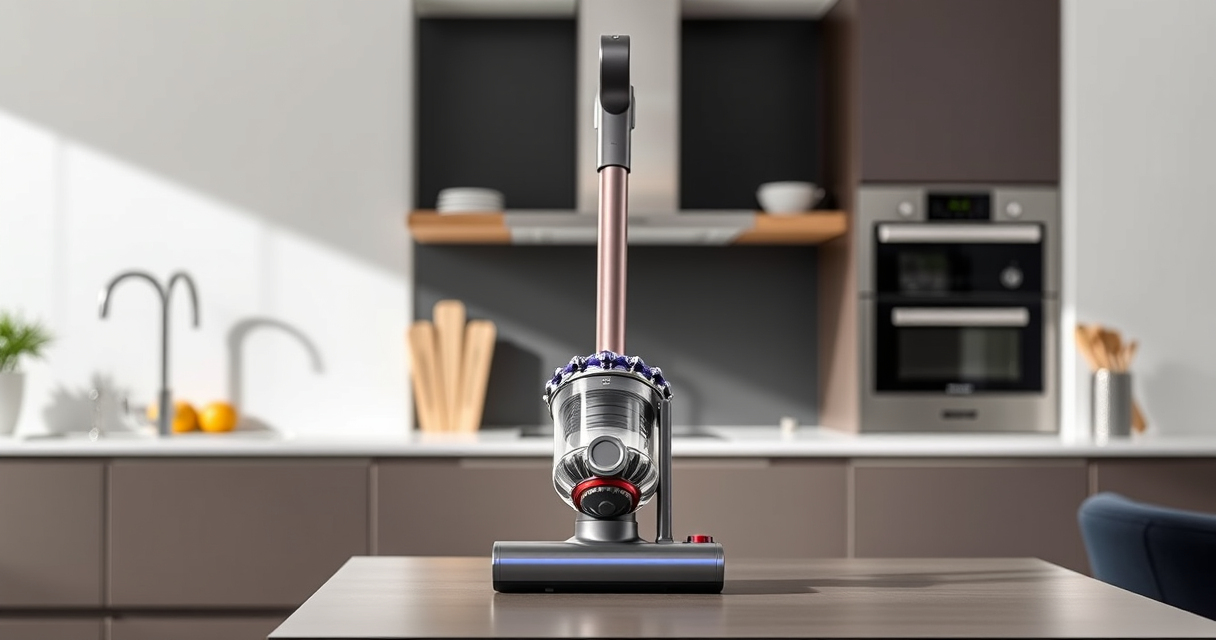
Dyson V15 Detect™ Origin Cordless Vacuum
- ✔ Filter type: Pre-filter and main filter
- ✔ Compatibility: V15, V12, V11, etc.
- ✔ Warranty: Check with manufacturer

LANMU Crevice Tool Vacuum Attachments Compatible
- ✔ Nozzle width: Slim profile
- ✔ Material: Plastic
- ✔ Use case: Corners, edges, car seats
Dyson V15 Detect™ Origin Cordless Vacuum
The Dyson V15 Detect™ Origin offers deep cleaning with adaptive power and real-time particle detection. When pulsing occurs, following proper troubleshooting steps can restore its performance efficiently.
Pros:
- Powerful suction
- Intelligent dust detection
- Long battery life
- Multiple cleaning modes
Cons:
- Filters require regular cleaning
- Can be heavy for some users
- Battery replacement may be needed over time
Best for: Whole-home deep cleaning, pet hair, hard floors
Not ideal for: Individuals seeking ultra-lightweight models or minimal maintenance
Bottom line: Proper maintenance and troubleshooting can resolve pulsing issues on your Dyson V15 Detect™.
LANMU Crevice Tool Vacuum Attachments Compatible
The LANMU Crevice Tool Vacuum Attachments are compatible with Dyson V15 and other models, helping you reach tight corners and tricky spots that might contribute to pulsing if obstructed.
Pros:
- Narrow nozzle for tight spaces
- Flexible and slim design
- Easy to attach
- Versatile for home and car
Cons:
- May not fit all Dyson models
- Additional accessories needed for full cleaning kit
- Plastic build may be less durable
Best for: Cleaning corners, edges, and hard-to-reach spots
Not ideal for: Users needing a full cleaning set or heavy-duty attachments
Bottom line: A versatile crevice tool enhances cleaning precision and can help prevent pulsing caused by blockages.
Frequently Asked Questions
Why does my Dyson vacuum pulse on and off during use?
This can be caused by blockages, dirty filters, battery issues, or loose connections. Troubleshooting these areas often resolves the problem.
How often should I clean or replace the filters?
Filters should be cleaned every 1-3 months, depending on usage, and replaced if they become damaged or excessively worn.
Can I use any filters with my Dyson V15?
It’s best to use filters compatible with your model, such as the Dyson V15 filters or replacements like the 3Pack Pre Filters or V10 filters if applicable.
Is it safe to open my Dyson vacuum for repairs?
Only attempt internal inspection if you’re comfortable and experienced. Otherwise, contact Dyson support or a professional repair service.
Keep Your Dyson V15 Detect™ Pulsing-Free with These Tips
By regularly maintaining filters, checking for blockages, and inspecting electrical connections, you can prevent and fix pulsing issues. Following these steps ensures your vacuum performs at its best, making your cleaning routine more efficient and hassle-free.
Affiliate disclosure: As an Amazon Associate we earn from qualifying purchases. Prices and availability are accurate as of the time of publishing.
NFL season / tailgating Picks
team gear
As an affiliate, we earn on qualifying purchases.