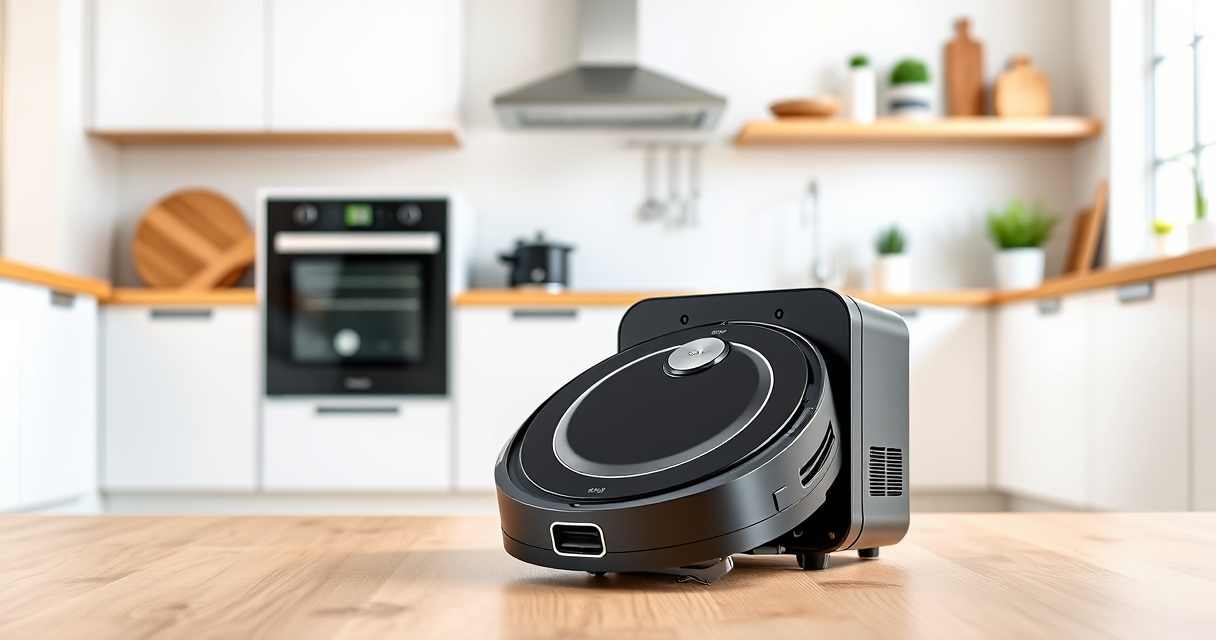
Setting up your new Roborock Q7 M5+ Robot Vacuum and Mop can seem daunting at first, but with a clear, step-by-step process, you’ll have it ready to keep your home spotless in no time. This guide provides practical instructions to ensure a safe, efficient, and thorough setup, along with helpful tips and troubleshooting advice to avoid common pitfalls.
Before beginning, make sure you have your robot vacuum, a stable Wi-Fi connection, the Roborock app installed on your smartphone, and any accessories you plan to use, such as replacement filters or mop pads. Proper initial setup will maximize your robot’s performance and longevity.
Key Takeaways
| Easy Assembly | Attach the main brush and ensure the dustbin is correctly installed. |
| Wi-Fi Connection | Connect your robot to your home Wi-Fi via the app for remote control and scheduling. |
| Initial Cleaning | Run a test cleaning to check navigation and suction performance. |
| Maintenance Tips | Regularly empty the self-empty dust bag and replace filters for optimal operation. |
| Accessory Compatibility | Use recommended mop pads and filters to maintain cleaning efficiency. |

roborock Q7 M5+ Robot Vacuum and Mop, Up to 7-9 Weeks Self-Empty, 10000Pa
- Long-Lasting Self-Emptying: Up to 9 weeks with 2.7L dust bag
- Powerful Suction: 10000Pa for deep cleaning
- Tangle-Resistant Brushes: Dual anti-tangle design for pet hair
As an affiliate, we earn on qualifying purchases.
Unboxing and Assembly
- Carefully unbox your Roborock Q7 M5+ and verify all components are included: robot, charging dock, power cable, and accessories.
- Attach the main brush by aligning it with the designated slot, then press firmly until it clicks into place.
- Insert the self-empty 2.7L dust bag into the dock if your model is set up for automatic emptying.
- Ensure the side brushes are securely attached and free of obstructions.
- Place the robot on the charger station and let it fully charge before first use, which typically takes 3-4 hours.
Proper assembly ensures smooth navigation and effective cleaning from the start. Avoid forcing parts into place to prevent damage.
Connecting to Wi-Fi and App Setup
- Download the Roborock app from your app store (available for both iOS and Android).
- Create or log into your Roborock account.
- Power on the robot and ensure it is close to your Wi-Fi router.
- Open the app and follow the prompts to add a new device. Select your model, such as the Q7 M5+.
- Connect the robot to your Wi-Fi network by entering your Wi-Fi password. Ensure your phone remains close to the robot during this process.
- Once connected, you can customize cleaning schedules, select cleaning modes, and set no-go zones.
Having your robot connected to Wi-Fi allows for remote control, firmware updates, and troubleshooting via the app.
Performing the Initial Cleaning and Navigation Checks
- Place the robot on a clear, open floor surface free of clutter.
- Open the app and select ‘Start Cleaning’ to initiate the first run.
- Observe how the robot navigates your space—check for any obstacles or navigation issues.
- Ensure the robot is effectively vacuuming and not missing any spots. Adjust virtual barriers or no-go zones if necessary.
- After the cleaning, check the dust collector and empty the self-empty dust bag if full.
This initial test helps identify any setup issues and ensures your robot is functioning correctly before regular use.
Maintenance and Troubleshooting Tips
- Regularly empty the self-empty dust bag, especially after multiple cleaning cycles, to maintain suction power.
- Replace filters regularly to prevent clogging and ensure high-performance cleaning; consider using the 4 Pack Washable Filters for sustained efficiency.
- Clean the main brush and side brushes weekly to remove hair and debris, especially around pet hair or carpets.
- Update the robot’s firmware through the app to access the latest features and fixes.
- If navigation falters or the robot gets stuck, reposition obstacles or reset virtual boundaries via the app.
Proper maintenance prolongs your robot’s lifespan and keeps cleaning performance at its peak.
Using Mop Functionality and Accessories
- Attach the mop pad to the bottom of the robot, ensuring it is secured properly for effective mopping.
- Use compatible microfiber mop pads, such as the VIEWALL 6 Pack Reusable Mop Pads, for best results on sealed floors.
- Choose the mopping mode in the app and schedule it according to your preferences.
- Regularly wash and replace mop pads to prevent dirt transfer and maintain cleaning quality.
- For optimal air quality, consider replacing filters with compatible washable HEPA filters, like the 4 Pack Washable Filter set.
Mopping is an efficient way to keep hard floors spotless, especially when paired with regular vacuuming.
The Products in This Guide

roborock Q7 M5+ Robot Vacuum and Mop
- ✔ Weight: 7.7 kg
- ✔ Charging Time: Approx. 3-4 hours
- ✔ Max Noise Level: 65 dB

4 Pack Washable Filter
- ✔ Weight: 50g per filter
- ✔ Material: HEPA fiber
- ✔ Washable: Yes
roborock Q7 M5+ Robot Vacuum and Mop
The Roborock Q7 M5+ offers powerful suction, long self-emptying capacity, and advanced navigation, making it ideal for pet owners and busy households. Its precision LiDAR mapping and app control provide a seamless cleaning experience.
Pros:
- Up to 7-9 weeks of self-emptying
- 10000Pa suction power
- Dual anti-tangle system
- App-controlled scheduling
Cons:
- Higher price point
- Requires app setup
- Limited to compatible accessories
Best for: Pet owners and large homes needing regular, thorough cleaning
Not ideal for: Users seeking a budget-friendly, basic vacuum
Bottom line: A powerful, smart robot vacuum perfect for pet hair and large spaces.
4 Pack Washable Filter
This washable HEPA filter set ensures your Roborock maintains high air quality and suction power. Easy to install and reuse, it complements the Q7 M5+ for long-term performance.
Pros:
- Replaces OEM filters accurately
- Washable and reusable
- Easy to install
- Effective filtration
Cons:
- Requires regular washing
- Not OEM but compatible
- Replacement every few months
Best for: Maintaining optimal air quality and suction
Not ideal for: Users preferring OEM filters or minimal maintenance
Bottom line: A cost-effective way to ensure your robot’s filters stay clean and effective.
Frequently Asked Questions
How do I connect my Roborock Q7 M5+ to Wi-Fi?
Download the Roborock app, create an account, power on the robot, and follow the in-app instructions to add the device and connect it to your Wi-Fi network.
Can I use the robot without the app?
Basic functions like starting a cleaning cycle are accessible via the robot’s physical buttons, but for scheduling, mapping, and advanced controls, the app is necessary.
How often should I replace the filters?
It’s recommended to wash and replace the filters every 2-3 months, depending on usage, to maintain optimal suction and air quality.
What should I do if the robot gets stuck or navigates poorly?
Check for obstacles or clutter, update the firmware, and adjust virtual barriers or no-go zones in the app. Regular maintenance of brushes and filters also helps improve navigation.
Is the self-emptying dust bag reusable?
Yes, the 2.7L dust bag is designed for multiple uses before needing replacement, which reduces maintenance frequency.
Keep Your Roborock Running Smoothly with Proper Setup
By following these detailed setup steps, you ensure your Roborock Q7 M5+ operates at peak performance, providing thorough cleaning and long-term reliability. Regular maintenance and updates will keep it running smoothly, giving you more time to enjoy a clean and tidy home.
Affiliate disclosure: As an Amazon Associate we earn from qualifying purchases. Prices and availability are accurate as of the time of publishing.