
TL;DR
Smart home security cameras let you view activity remotely, receive alerts, and review footage, but their usefulness depends on placement, network access, recording options, and detection accuracy. Compare total cost and privacy controls alongside video quality, and test the view from the actual location before relying on a camera to cover an entrance.
A camera can show you the front step in crisp detail and still miss the package tucked beside the door. That gap between impressive specifications and useful footage is why smart home security cameras deserve a closer look before you buy.

Get home appliances delivered free with Prime
- Fast, free delivery on millions of items
- Prime Video, Amazon Music and more included
- Member-only deals all year
These connected cameras can let you check home activity remotely, receive alerts, and review saved video. In this article, you’ll learn how to match the view and detection to your space, compare recording and ongoing costs, and protect the privacy of everyone who lives or visits there.
Think of a camera as one part of a home security setup, like a porch light that also keeps a record. It can help you understand what happened, but it works best when you choose its location and limits with care.
Match lens width and resolution to the distance where you need identifiable detail.
Test detection in the camera’s actual location, since shadows, weather, and placement can affect alerts.
Compare subscription fees, recording history, and storage limits with the purchase price.
Aim cameras at relevant entry points, restrict unnecessary views, and secure shared access.
Check Wi-Fi, power, outage recording, and the exact smart home features you plan to use.
Choose a camera view that captures useful detail
Smart home security cameras are connected devices that show you a live view, send activity alerts, and may save video for later review. To get useful footage, match resolution and field of view to the distance and area you want to cover. A broad view can capture a whole room, but a face near the far edge may look small and indistinct. That matters because seeing that someone was present is different from having enough detail to recognize what they carried or where they went.
Say your camera sits above the garage, looking across a long driveway. A very wide lens may show the parked car, gate, and sidewalk in one sweep, yet leave a visitor near the curb as a blur. A narrower view concentrates pixels on a smaller area, which can make distant details easier to see but may leave activity outside the frame. Aim it toward the spot where people actually approach, and check whether a face or package still looks clear at that distance.
Night vision adds another tradeoff. Infrared often shows nighttime scenes in black and white, while visible lights can produce color footage but draw attention and may bother a neighbor. Color can help distinguish details such as clothing, but only if there is enough light; bright illumination can also cause glare or harsh shadows. Rain, reflections from a porch light, tree branches, and distance from the subject can all change the result. The view you see in a bright product photo may not match your dark entryway.
Before settling on a model, check live video from its intended position at different times of day. A short trial can reveal a porch post blocking the door or a reflection washing out the image. Useful coverage means seeing the detail you need where activity happens, not simply having the largest view. If you need a wide overview and clear detail at a distant gate, one camera may not do both well; consider whether aiming it at the priority area is enough before paying for another camera.
Products Worth Considering

Dreame L40 Ultra Gen 2 Robot Vacuum and Mop

Dyson Cyclone V10 Origin Cordless Vacuum

Philips Hue Starter Kit with Bridge Pro and 4 A19 E26 Smart Bulbs
As an affiliate, we earn on qualifying purchases.
Use alerts to sort real activity from background motion
Smart home security cameras can send alerts when their software detects motion or recognizes a category such as a person, vehicle, pet, or package. These labels can make notifications more useful, but they do not guarantee that the camera has identified an event correctly. Placement, changing light, weather, and the camera’s software all affect what it detects. An alert is a prompt to check what happened, not a verified account of who was there.
Imagine a camera facing a front walkway beneath a tree. A sunny afternoon may cast moving leaf shadows across the path, triggering repeated motion alerts while you’re trying to work. If the camera supports activity zones, you can limit detection to the doorway and ignore the street or swaying branches. This reduces irrelevant alerts, though zones can also hide activity if drawn too narrowly. Person detection may help distinguish a visitor from shifting shadows, but you’ll need to check whether it is included or sold as a subscription feature.
AI-assisted search and clip summaries can help you find a moment without watching hours of footage. Some newer models also process certain events on the device itself. That may reduce reliance on cloud processing, though local capabilities vary by camera, and software can still mistake one event for another. Treat a “person” label as a helpful prompt to review video, not proof of someone’s identity. The distinction matters when deciding whether to act on a notification or share a clip with someone else.
Give the camera a week in the real location before trusting its alert settings. Notice which notifications matter and which ones arrive every time a car passes or the sun shifts. Adjust zones and sensitivity in small steps so you can tell what improved. Good alerts save you from constant checking; too many false alarms can make you ignore the one worth seeing.
Compare storage plans before paying for a camera
Smart home security cameras save recordings either to local storage, such as a memory card or home hub, or to a cloud service that stores video online. Some models offer live viewing without a subscription, while longer video history or advanced alerts may cost extra. What you can record depends on the specific camera and plan, so check the features you’ll actually use before you buy. Storage affects more than price: it determines whether a clip will still be available when you need to review an event.
Here’s a simple example: a camera that costs less upfront may require a monthly plan to save clips, while another has a higher price but records to a memory card. Over two years, recurring fees can change which option costs less. But the cheaper total is not automatically the better fit if local storage keeps too little history or lacks the alerts you want. Add any hub, replacement battery, or second camera to the same calculation.
Local storage can keep recordings available without a cloud plan, but it has limits. A memory card can fill up, and footage stored in the camera may be lost if the device is stolen or damaged. Some systems overwrite older clips when full, so the retention period depends on capacity and recording activity. Cloud storage can keep clips somewhere other than your home, but it often depends on an account, internet access, and a paid plan. Retention also varies: a brief history may disappear before you get around to reviewing it.
Before choosing, ask how long recordings stay available, whether the camera records during an internet outage, and what happens when storage fills. Also check whether deleting a clip removes it from all devices and whether the service offers a way to download footage you want to keep. Compare the total cost over time, not only the price on the box, and weigh that cost against how much history and outage resilience you need. For a side door you rarely check, live view may be enough; for a delivery-heavy porch, saved clips may matter more.
Place cameras where they help without invading privacy
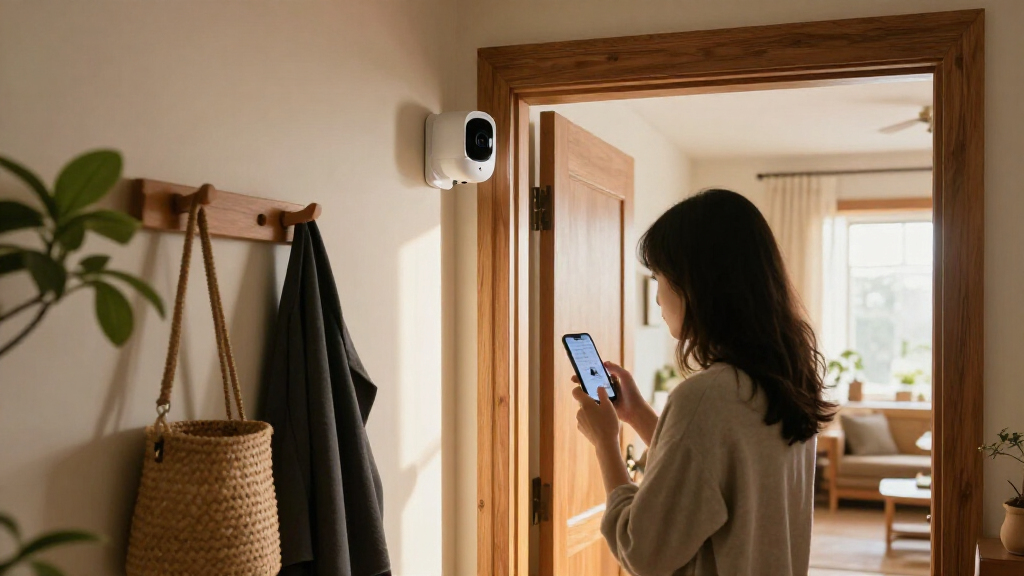
Smart home security cameras work best when they cover useful entry points while avoiding neighbors’ windows and private areas. A camera’s angle matters as much as its location: even a model meant for your front door could capture more of the sidewalk or a nearby home than you intended. This is easier to address before mounting than after the camera becomes part of a routine. Check the image from the camera itself and adjust the frame before relying on it.
Consider a family that wants to watch its front steps for deliveries. Mounting the camera beneath the eave and angling it toward the door can capture visitors and packages while limiting the view of a neighbor’s living room. A driveway camera may also need a privacy zone that blocks part of the street. These limits can reduce unnecessary recording, though an overly tight frame may miss a person approaching from the side. Small changes to height and direction can shrink the view into the right slice of space.
Video can reveal when people leave, who visits, and which rooms they use. The more people and spaces a camera captures, the more important it is to control who can view the footage and how long it remains available. Check the manufacturer’s information about account protection, encryption, software updates, privacy controls, and video storage. Use a strong, unique password and multifactor authentication when offered, and review who has permission to view shared footage. Remove access when it is no longer needed.
Some cameras record audio, which brings additional privacy and legal questions. Rules vary by location, so check the law that applies to you and tell people when required. A camera should help you see what happened at the door without turning the whole home into a recording zone. Choosing a narrow purpose for each camera makes it easier to decide what it should capture and who needs access.
Match power, Wi-Fi, and smart features to your routine
Smart home security cameras need dependable power and connectivity for the features you expect to use. Wired models avoid routine charging but need a suitable power source, while battery cameras offer more placement freedom and require recharging. Wi-Fi interruptions can affect remote viewing and cloud uploads, and not every model records locally during an outage. Those limits matter most when a camera is meant to capture an event you cannot check in person.
Suppose you want a camera at a detached garage where the home Wi-Fi signal arrives in one weak bar. A battery model may be easy to mount, but weak connectivity could make live video slow or interrupt uploads. That can leave you with an alert but no usable clip, depending on how the camera handles a dropped connection. Check the signal at the mounting spot and verify what the camera can still do if the internet goes down. For an outdoor model, look at weather protection and make sure the location keeps the connection reliable.
Smart home links can make cameras easier to use with a display, voice assistant, or automation platform. But advertised compatibility does not mean every feature works across systems. Live video may display on a smart screen while advanced alerts or recording controls remain inside the camera’s own app. This can add friction if you expect to manage everything from one place. Check the particular functions you want, including whether they work without a subscription.
They range from simple indoor cameras to outdoor units with lights, sirens, pan-and-tilt controls, or battery power. More features can help in the right spot: a light may illuminate a dark entry, while pan-and-tilt can follow activity across a larger area. They can also add cost, setup, and power demands, and a moving camera may not keep a particular doorway in view at every moment. Choose for your actual routine: a wired camera by a frequently used door may suit you better than a feature-packed unit that needs regular charging in an awkward place.
Set up your first camera in five practical steps
Smart home security cameras are easiest to judge when you test them in the location where they’ll stay. A few deliberate checks can reveal dead zones, weak signal, and alert noise before you depend on the footage. For example, a camera pointed at the front door may look well placed until a delivery driver sets a box just beyond its frame. Each check helps expose a different gap: the angle affects what is visible, the connection affects whether you can access it, and the recording setup affects whether there is evidence to review.
- Name the job. Decide whether you want to see visitors, deliveries, a driveway, or an indoor shared area. A specific purpose makes it easier to judge whether a camera’s view is sufficient and helps keep recording focused.
- Pick the angle. Aim at the activity, then check the live view for blocked corners and unnecessary views of neighboring property. Walk through the approach or set a test package down to see what the camera actually captures.
- Test the signal and lighting. Check Wi-Fi, daytime glare, nighttime visibility, and weather exposure at the intended position. A camera that looks clear in daylight may struggle at night, and a weak signal may interrupt remote access or uploads.
- Set recording and alerts. Choose local or cloud storage, review retention, and narrow detection zones if your camera allows it. Try the settings for several days; overly broad alerts can become noise, while overly narrow ones can miss useful activity.
- Secure the account and review results. Use a unique password, turn on multifactor authentication if available, and adjust settings after a week of alerts. Review who can access clips and whether saved footage lasts long enough for your needs.
This routine helps you compare real needs instead of shopping by headline features alone. A single well-placed camera may answer your main question, while several poorly aimed cameras can create extra notifications without giving you better coverage. If you discover a blind spot during the trial, shift the camera or reconsider whether a second view is worth its cost.
Keep that first week’s example in mind: the delivery box outside the frame. Testing your own view is a direct way to catch the gaps that specifications cannot show.
Frequently Asked Questions
Do smart home security cameras need a subscription?
Not always. Some cameras provide basic live viewing without a plan, while cloud recording, longer video history, or advanced detection may require a subscription. Check the features and retention period for the exact model before buying.
Can a security camera record without Wi-Fi?
It depends on the model and its local storage. Some cameras can save footage to a memory card or hub during an internet outage, while others depend on Wi-Fi for core features. Remote viewing generally requires an internet connection.
Are indoor security cameras safe from hackers?
No internet-connected device is risk-free, but you can reduce account risks. Use a strong, unique password, enable multifactor authentication if available, install software updates, and review sharing and access settings.
Where should I place a home security camera?
Entrances, driveways, and shared areas are common locations, depending on what you want to monitor. Aim the camera at the relevant activity and check the live view so it does not unnecessarily capture neighbors’ windows or private spaces.
Can security cameras record audio?
Many cameras can record audio, but audio recording raises additional privacy and legal issues. Laws vary by location, so check the rules that apply to you and inform people where required.
Conclusion
Choose the camera that gives you a useful view, dependable access, and a recording plan you can afford. Before you settle on a spot, check the live image at night and during the day, then review who and what it captures.
A well-aimed camera can turn a missed delivery into a quick glance at your phone. Keep its view focused, its account secure, and its limits in mind.