If your Keurig coffee maker is producing bitter, sour, or bland coffee, it can be frustrating. Many taste issues stem from mineral buildup, residue, or improper brewing habits. Fortunately, with a few simple troubleshooting steps, you can restore your machine’s optimal performance and enjoy delicious coffee again.

Get home appliances delivered free with Prime
- Fast, free delivery on millions of items
- Prime Video, Amazon Music and more included
- Member-only deals all year
This guide walks you through the most common causes of bad-tasting coffee and provides clear, step-by-step fixes to help you troubleshoot your Keurig efficiently and safely.
Key Takeaways
| Mineral Buildup | Can cause off-flavors and clogging. |
| Residue & Oils | Build-up affects taste and machine function. |
| Incorrect Cleaning | Regular descaling and cleaning improve flavor. |
| Using Old or Poor-Quality Water | Impacts coffee taste and machine longevity. |
Step 1: Check Water Quality and Quantity
- Use fresh, filtered water for each brew to avoid mineral deposits and off-flavors.
- Ensure you’re adding the correct amount of water for the desired brew size, as too little or too much can affect taste.
Step 2: Clean the Machine Thoroughly
- Remove the water reservoir and empty any remaining water.
- Wash the reservoir with warm, soapy water and rinse thoroughly.
- Clean the exterior and the drip tray with a damp cloth.
Step 3: Descale Your Keurig
- Fill the water reservoir with a descaling solution or a mixture of equal parts water and white vinegar.
- Run a brew cycle without a K-Cup, allowing the descaling solution to flush through the machine.
- Repeat with plain water to rinse out any residual vinegar or descaling solution.
Step 4: Use the Proper Coffee and Filters
- Ensure you’re using fresh, quality K-Cup pods or ground coffee in a compatible reusable filter.
- Check that the reusable filter is clean and properly inserted.
Tips & Warnings
- Descale your Keurig every 3-6 months based on usage to prevent mineral buildup.
- Avoid using old or expired K-Cups, as they can produce poor taste.
- Be cautious when handling descaling solutions—follow product instructions carefully.
The Products in This Guide

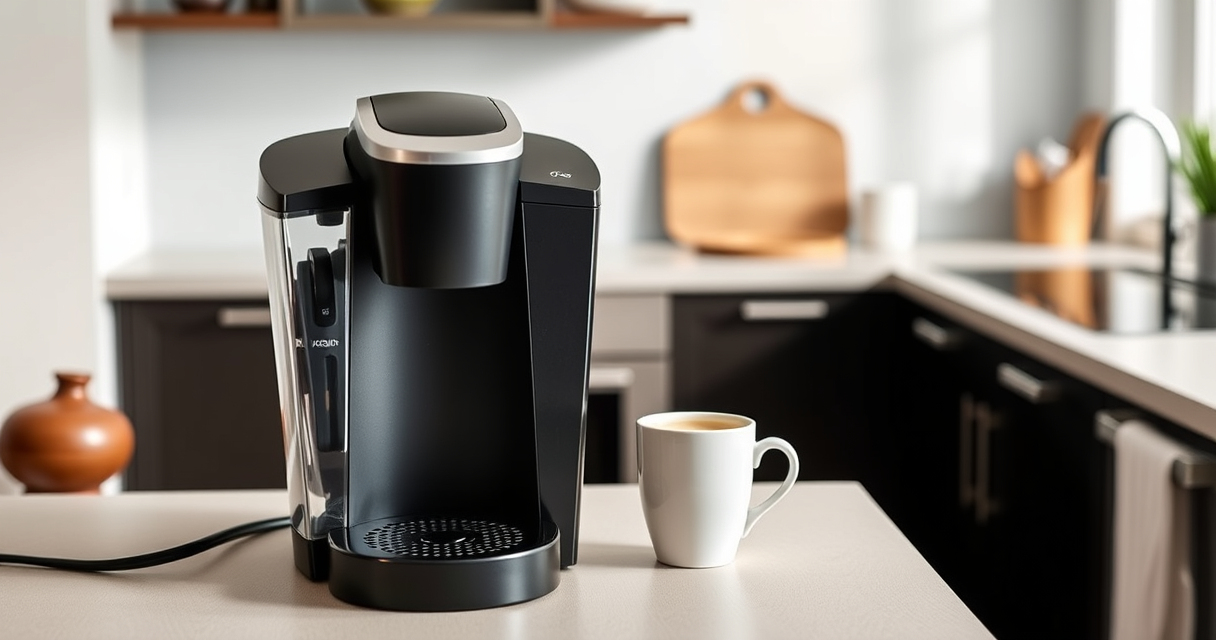
Keurig K-Mini Single Serve K-Cup Pod Coffee Maker
- ✔ Weight: 4.58 pounds
- ✔ Capacity: Removable drip tray
- ✔ Power: 120V, 60Hz

My K-Cup® Reusable Coffee Filter
- ✔ Weight: 2 ounces
- ✔ Color: Black
- ✔ Filter Type: Reusable
Keurig K-Mini Single Serve K-Cup Pod Coffee Maker
The Keurig K-Mini Single Serve K-Cup Pod Coffee Maker is an excellent choice for those with limited space who want quick, fresh coffee. Regular maintenance with descaling and cleaning ensures it continues to produce great-tasting brews.
Pros:
- Compact and space-saving
- Fast brewing time
- Easy to clean
- Compatible with reusable filters
Cons:
- Limited water reservoir
- No on/off switch
- Plastic exterior can stain
Best for: Small households, dorm rooms, offices with limited space
Not ideal for: If you prefer larger capacity or advanced features
Bottom line: A compact, easy-to-maintain coffee maker perfect for small spaces.
My K-Cup® Reusable Coffee Filter
If you prefer brewing with your own ground coffee, the My K-Cup® Reusable Coffee Filter is a fantastic addition. It allows you to customize your brew and is compatible with the Keurig K-Mini and other models.
Pros:
- Cost-effective
- Brews personalized coffee
- Easy to clean
- Compatible with multiple Keurig models
Cons:
- Requires extra maintenance
- Can clog if not cleaned regularly
- Slightly more effort than using K-Cups
Best for: Coffee enthusiasts wanting control over their beans
Not ideal for: If you prefer quick, disposable K-Cup brewing
Bottom line: A versatile reusable filter for fresher, customizable coffee.
Frequently Asked Questions
Why does my Keurig taste bitter or sour?
This can be caused by mineral buildup, stale water, or residue inside the machine. Regular descaling and cleaning help prevent this.
How often should I descale my Keurig?
Descale your Keurig every 3 to 6 months, depending on usage and water hardness, to maintain optimal taste.
Can I use ground coffee instead of K-Cups?
Yes, with a compatible reusable filter like the My K-Cup®, you can brew your own ground coffee for better flavor control.
What should I do if my Keurig still tastes bad after cleaning?
Try using filtered water, repeat the descaling process, and ensure your coffee grounds or pods are fresh and of good quality.
Enjoy Perfect Coffee Every Time
Maintaining your Keurig with regular cleaning, descaling, and proper water quality can significantly improve the taste of your coffee. By following these troubleshooting steps, you’ll ensure your machine brews delicious, fresh coffee consistently. Remember, a well-maintained Keurig is key to a satisfying coffee experience.
Affiliate disclosure: As an Amazon Associate we earn from qualifying purchases. Prices and availability are accurate as of the time of publishing.
Halloween Picks
halloween
As an affiliate, we earn on qualifying purchases.