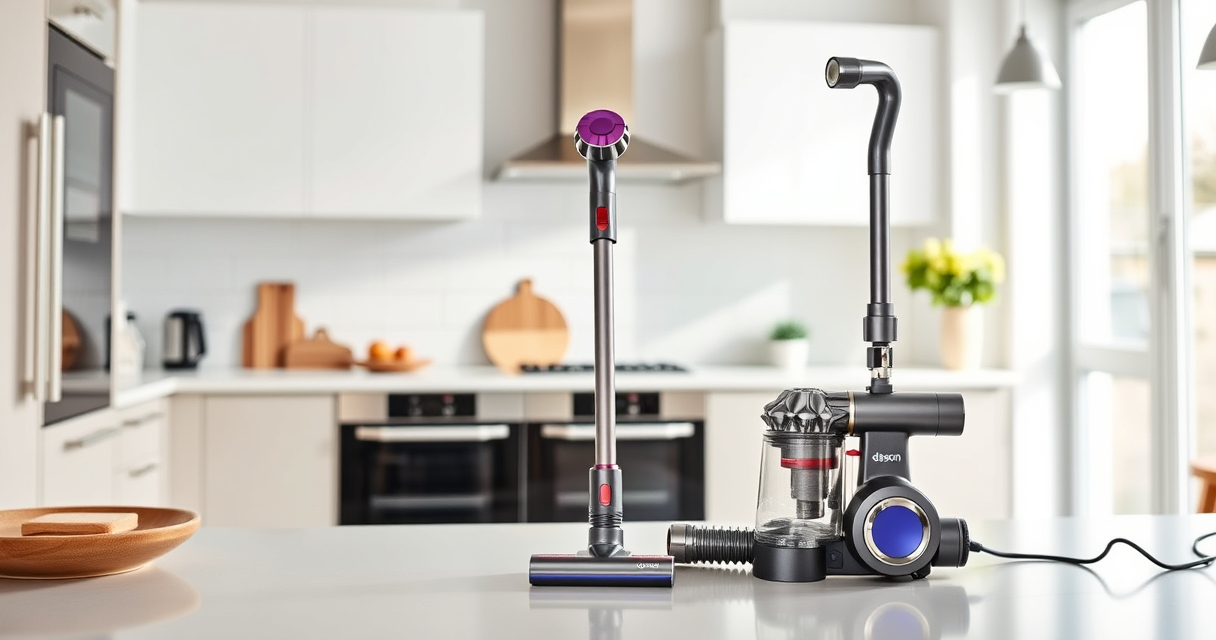
If your Dyson V15 Detect™ Origin Cordless Vacuum is pulsing on and off during use, it can be frustrating and hinder your cleaning. This issue often points to a problem with filters, battery connection, or blockages. Luckily, most causes are simple to diagnose and fix with some basic steps. In this guide, you’ll learn how to troubleshoot and resolve this pulsing behavior to restore your vacuum’s power and efficiency.

Get home appliances delivered free with Prime
- Fast, free delivery on millions of items
- Prime Video, Amazon Music and more included
- Member-only deals all year
Proper maintenance and regular checks are key to preventing this problem. Follow these clear, safe instructions to get your Dyson working smoothly again, saving you time and the cost of unnecessary repairs.
Key Takeaways
| Filter Maintenance | Dirty filters can cause pulsing; clean or replace them regularly. |
| Battery & Connections | Loose connections or battery issues may trigger pulsing; check and secure all parts. |
| Blockages & Debris | Clogged nozzles or hoses reduce airflow, causing pulsing; clear obstructions. |
| Motor & Sensor Checks | Faulty sensors or motor problems can lead to pulsing; troubleshoot or seek professional help. |
| Regular Upkeep | Routine maintenance prevents pulsing and extends your vacuum’s lifespan. |
Step 1: Power Off and Unplug Your Dyson
- Ensure your Dyson V15 Detect™ Origin is turned off by releasing the power trigger.
- Unplug the charger or remove the battery if it’s removable, to prevent any electrical hazards during inspection.
Step 2: Check and Clean the Filters
Dirty filters are a common cause of pulsing. Locate the pre-filters and post-filters (if applicable) on your Dyson. Remove them carefully following the user manual instructions. Rinse the filters under cold water, gently squeezing out dirt. Let them air dry completely for at least 24 hours before reinserting. Replacing filters with new ones (such as the 3Pack Pre Filters Replacement) can also restore optimal airflow and prevent pulsing.
Step 3: Inspect for Blockages
Check the cleaner heads, wand, and hose for debris or obstructions. Remove any hair, dust, or debris that might be clogging the airflow path. Use the crevice tool to reach into tight spots, especially around the Digital Motorbar cleaner head and the Fluffy Optic head. Clearing blockages improves airflow and can stop the pulsing behavior.
Step 4: Examine Battery and Connections
Ensure the battery is properly seated if removable. Inspect the connection points for dust or corrosion. If your vacuum has a battery indicator or LCD screen, check for error alerts. Sometimes, loose connections or a weakening battery can cause the vacuum to pulse as it struggles to maintain power. Reconnect or replace the battery if necessary.
Step 5: Reset and Test Your Vacuum
After cleaning filters, clearing blockages, and inspecting connections, turn on your Dyson. Run it for a few minutes to see if the pulsing persists. If the issue remains, perform a soft reset by turning off the vacuum, removing the battery for a few minutes, then reassembling and testing again.
Additional Tips and Warnings
- Always handle filters and parts gently to avoid damage.
- Use only Dyson-approved replacement filters and parts for safety and compatibility.
- Regularly replace filters (every 2-3 months) to maintain suction and prevent pulsing.
- If troubleshooting doesn’t resolve the issue, contact Dyson customer support or a qualified repair technician.
The Products in This Guide

Dyson V15 Detect™ Origin Cordless Vacuum
- ✔ Weight: 6.8 lbs
- ✔ Battery Life: 60 min
- ✔ Filter Type: HEPA

LANMU Crevice Tool Vacuum Attachments Compatible
- ✔ Material: Plastic
- ✔ Compatibility: Multiple Dyson models
- ✔ Weight: Light
Dyson V15 Detect™ Origin Cordless Vacuum
The Dyson V15 Detect™ Origin offers powerful, intelligent cleaning, but pulsing can occur due to common issues like filters or blockages. Following proper maintenance steps can often resolve this problem without professional help.
Pros:
- Powerful suction
- Intelligent debris detection
- Long battery life
- Effective filter system
Cons:
- Pulsing may indicate underlying issues
- Filters require regular cleaning
- Complex disassembly for some parts
Best for: Homeowners seeking deep, efficient cleaning with minimal downtime
Not ideal for: Users uncomfortable with basic DIY repairs or filter maintenance
Bottom line: Regular maintenance and careful inspection can resolve pulsing issues on your Dyson V15 Detect™.
LANMU Crevice Tool Vacuum Attachments Compatible
The LANMU Crevice Tool Vacuum Attachments are compatible with various Dyson models, including the V15 Detect. Its slim, flexible design makes it easy to reach tight corners and tight spots that often cause blockages or hidden dust, helping to maintain optimal airflow and prevent pulsing caused by obstructions.
Pros:
- Narrow, flexible nozzle
- Compatible with many Dyson models
- Easily navigates tight spaces
- Helps maintain vacuum efficiency
Cons:
- Not suitable for V6 or canister models
- May require adjustment for different attachments
- Needs regular cleaning to prevent clogging
Best for: Users needing precise cleaning in hard-to-reach spots
Not ideal for: Those looking for a large or heavy-duty attachment
Bottom line: This crevice tool enhances your Dyson’s reach, reducing blockages and pulsing caused by debris buildup.
Frequently Asked Questions
Why does my Dyson pulsing on and off?
Pulsing usually indicates a blockage, dirty filter, or connection issue. Troubleshooting these areas often resolves the problem.
How often should I clean or replace the filters?
Filters should be cleaned every 2-3 months and replaced if damaged or heavily clogged. Regular maintenance helps prevent pulsing.
Can I fix the pulsing myself?
Yes, most causes like filters, blockages, or loose connections are easy to fix with basic tools and routine maintenance.
What if cleaning and checking connections don’t work?
If the issue persists, contact Dyson support or a professional technician for further diagnosis or battery replacement.
Is it safe to disassemble my Dyson for troubleshooting?
Yes, but ensure the vacuum is unplugged and batteries are removed before opening any parts. Follow the manual or professional guidance for disassembly.
Keep Your Dyson Running Smoothly with Proper Maintenance
Regularly inspecting filters, clearing blockages, and ensuring secure connections are key to preventing pulsing issues. With a few simple steps, you can maintain optimal performance and extend your vacuum’s lifespan. If problems persist despite troubleshooting, professional help is recommended to avoid further damage. Staying proactive in maintenance will ensure your Dyson V15 Detect™ Origin continues to deliver deep, efficient cleaning for your home.
Affiliate disclosure: As an Amazon Associate we earn from qualifying purchases. Prices and availability are accurate as of the time of publishing.
Fall yard work Picks
leaf blowers
As an affiliate, we earn on qualifying purchases.