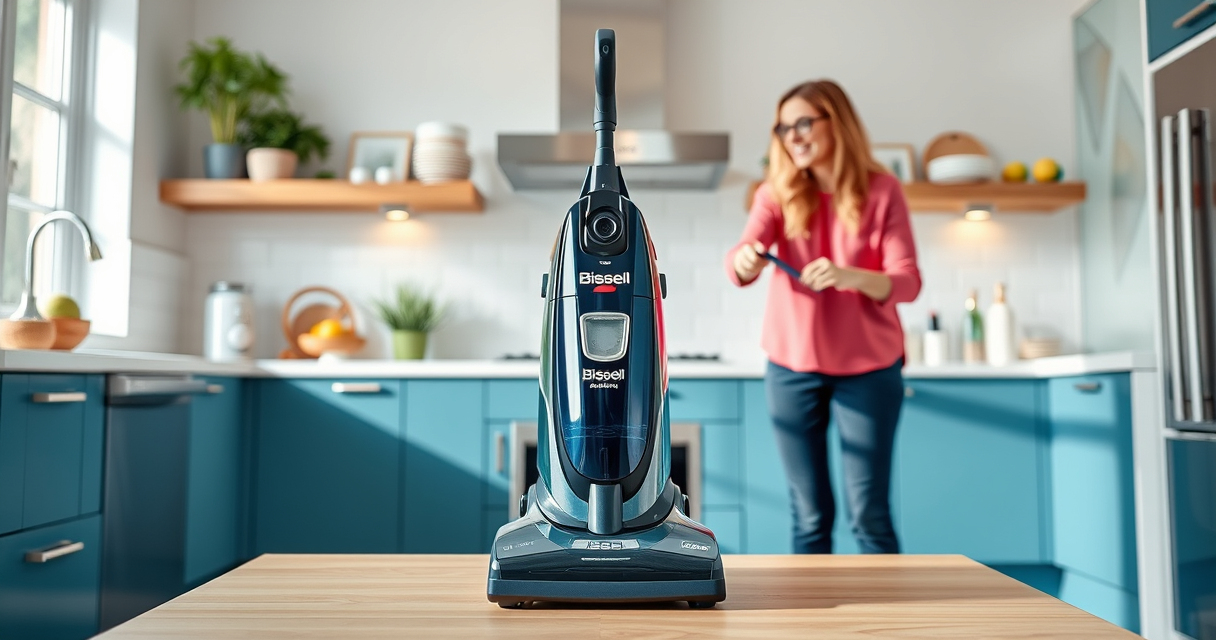
If your Bissell carpet cleaner isn’t delivering suction as it should, it can hinder your cleaning efforts and cause frustration. Fortunately, most suction issues are fixable with simple troubleshooting steps. This guide walks you through the common causes of no suction and provides practical, safe solutions to restore optimal performance.

Get home appliances delivered free with Prime
- Fast, free delivery on millions of items
- Prime Video, Amazon Music and more included
- Member-only deals all year
Before diving into complex repairs, ensure you’re following safety precautions and using the correct parts. Let’s get your Bissell ProHeat 2X Revolution Pet Turbo Upright Carpet Cleaner back to its powerful cleaning capacity.
Key Takeaways
| Check for blockages | Clogged hoses or filters reduce suction. |
| Inspect the brush roll | A jammed or worn brush roll can impede suction. |
| Verify water and solution levels | Low water or solution levels can cause suction loss. |
| Examine the filters | Dirty filters restrict airflow and suction. |
| Ensure proper assembly | Incorrect assembly may block airflow or reduce suction. |
Step 1: Turn Off and Unplug Your Carpet Cleaner
Always disconnect your Bissell cleaner from power before inspecting or repairing any parts to ensure safety.
Step 2: Check and Clear Blockages
- Remove the water tank and wand assembly from the cleaner.
- Inspect hoses, especially the suction pathway, for clogs or debris.
- Clear any obstructions using a long, flexible brush or a straightened wire coat hanger.
Step 3: Inspect and Clean the Filters
Locate the filters—these are often found near the water tank and intake area. Remove and rinse them thoroughly with warm water. Let them dry completely before reinstalling.
Step 4: Examine the Brush Roll and Belt
- Remove the brush roll cover and inspect for tangled hair, fibers, or debris.
- Check the belt for wear or damage; replace if necessary.
Step 5: Verify Proper Assembly and Water Levels
Ensure all parts are correctly assembled according to the user manual. Also, confirm the water and cleaning solution levels are sufficient for cleaning.
The Products in This Guide
BISSELL ProHeat 2X Revolution Pet Turbo Upright Carpet C

The BISSELL ProHeat 2X Revolution Pet Turbo Upright Carpet Cleaner combines powerful suction with quiet operation, thanks to its TURBOSTRENGTH motor technology. Its MAX Clean mode tackles embedded dirt, while Heatwave technology maintains water temperature for optimal cleaning results.
Pros:
- Strong suction power
- Quiet operation
- Effective pet stain removal
- Fast drying with Express Clean mode
Cons:
- Heavier than some models
- May require frequent filter cleaning
- Can be complex to disassemble for deep cleaning
Best for: Homeowners with pets and heavily soiled carpets
Not ideal for: Light cleaning tasks or small area jobs
Bottom line: A powerful, quiet, and versatile carpet cleaner ideal for pet owners.
JORAIR Brush Replacement Compatible

The JORAIR Brush Replacement Compatible with Bissell CrossWave offers an easy way to restore your machine’s cleaning performance. It fits select CrossWave models and provides effective debris pickup.
Pros:
- Easy to install
- Compatible with multiple models
- Affordable replacement
- Effective cleaning
Cons:
- Not compatible with all Bissell models
- May wear over time
- Requires regular replacement
Best for: Maintaining optimal brush performance
Not ideal for: Use as a primary cleaning brush for heavily soiled carpets
Bottom line: A reliable and affordable brush roll replacement to keep your machine performing well.
Frequently Asked Questions
Why does my Bissell carpet cleaner have no suction?
Common causes include clogged hoses, dirty filters, blocked brush roll, low water levels, or improper assembly. Follow the troubleshooting steps to identify and fix the issue.
How often should I clean the filters?
It’s best to clean the filters after every few uses or when you notice a drop in suction. Rinse them thoroughly with warm water and allow to dry before reinstalling.
Can I use any cleaning solution with my Bissell cleaner?
It’s recommended to use Bissell Multi-Surface Solution or the Deep Clean Pro 4X formula for optimal results and to avoid voiding the warranty.
What should I do if cleaning the hoses and filters doesn’t restore suction?
If cleaning doesn’t help, check for internal damage or worn parts like the belt or motor. Contact customer support for further assistance or professional repair.
Revive Your Bissell for a Fresh, Clean Home
By following these troubleshooting steps, you can often fix no suction issues with your Bissell carpet cleaner quickly and safely. Regular maintenance like cleaning filters and inspecting hoses will keep your machine performing optimally. If problems persist, consider replacing worn parts or consulting professional repair services to ensure your cleaner continues to deliver professional-grade results.
Affiliate disclosure: As an Amazon Associate we earn from qualifying purchases. Prices and availability are accurate as of the time of publishing.