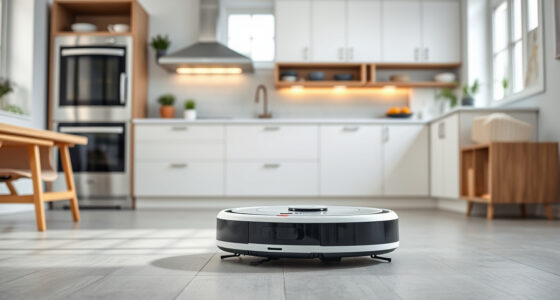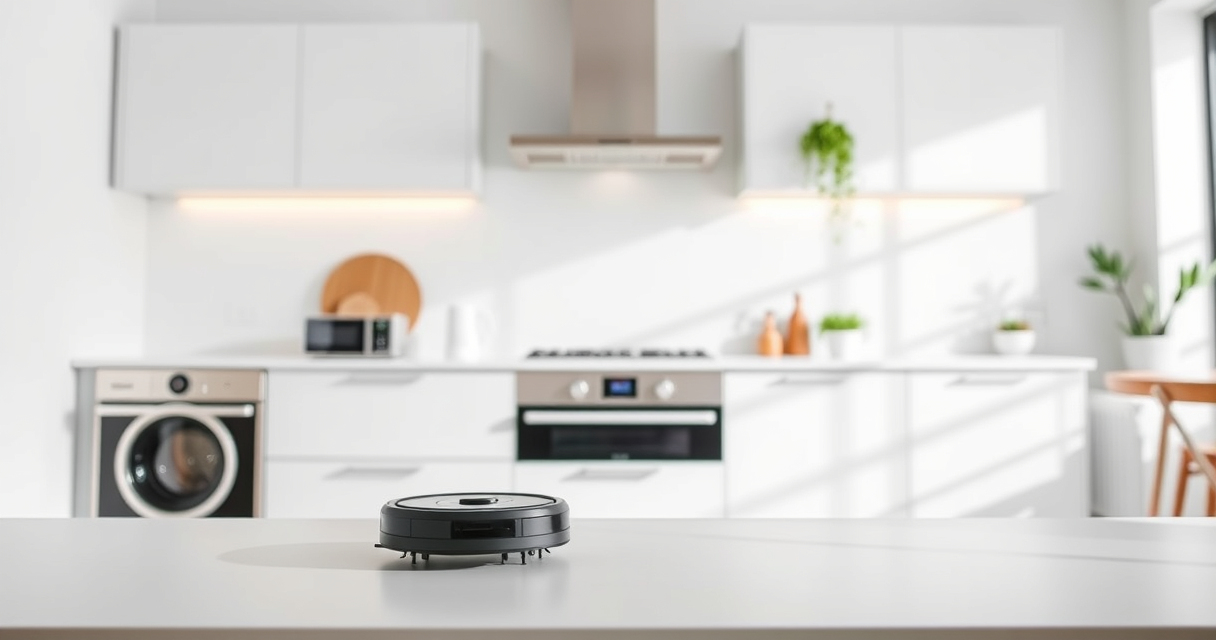
Maintaining your Roborock Q7 M5+ robot vacuum is essential for ensuring optimal cleaning performance and extending the lifespan of your device. Regular upkeep not only keeps your floors spotless but also prevents common issues such as poor suction or navigation errors. In this comprehensive guide, you’ll find clear, step-by-step instructions on how to clean, troubleshoot, and optimize your Roborock robot vacuum safely and effectively.

Get home appliances delivered free with Prime
- Fast, free delivery on millions of items
- Prime Video, Amazon Music and more included
- Member-only deals all year
Whether you’re a new user or looking to fine-tune your cleaning routine, understanding the key maintenance tasks will help you get the most from your investment. Let’s dive into the essential maintenance practices that will keep your Roborock running like new.
Key Takeaways
| Regular cleaning prevents clogs | Clean filters and brushes frequently to maintain suction and cleaning efficiency. |
| Check for tangles | Inspect and clear hair or debris from brushes and wheels to prevent navigation issues. |
| Empty the dust bin | Even with a self-emptying system, monitor and replace the dust bag regularly. |
| Update firmware | Keep your Roborock’s software current for optimal performance and new features. |
| Troubleshoot common errors | Identify and resolve issues like navigation errors or suction drops with simple steps. |
Preparing for Maintenance
- Power off your Roborock Q7 M5+ and unplug it if connected to a charging dock. Safety first to avoid accidental activation during cleaning.
- Gather necessary tools: a soft brush, a microfiber cloth, and replacement filters if needed.
- Ensure your robot is on a clean, flat surface for easy access to all components.
Cleaning the Main Brush and Anti-Tangle System
- Remove the main brush assembly following your Roborock’s user manual instructions. Usually, it involves pressing a release tab or unscrewing a cover.
- Carefully clear hair, pet fur, and debris tangled around the brush and the dual anti-tangle system, which helps prevent hair from wrapping around the brush.
- Use a soft brush or a pair of scissors to trim stubborn tangles. Avoid using sharp objects that might damage parts.
- Reinstall the brush securely, ensuring it moves freely.
Inspecting and Replacing Filters
The Q7 M5+ features a 2.7L sealed dust bag, and the filters play a crucial role in maintaining suction power.
- Remove the dustbin and detach the filter assembly as per your model’s instructions.
- Check the filter for dust buildup, discoloration, or damage.
- If using a washable filter, rinse it under water, let it dry completely before reinstalling. For replacement, consider using a compatible washable filter like the 4 Pack Washable Filter.
- Replace filters that are excessively dirty or damaged to sustain high cleaning performance.
Emptying and Maintaining the Dust Bin
The Q7 M5+ features a 2.7L sealed dust bag that can last up to 7-9 weeks before needing replacement. However, regular checks are advised.
- Open the dustbin compartment and carefully remove the dust bag.
- Dispose of debris safely, avoiding spreading dust.
- Inspect the dust bag for tears or overfilling. Replace if necessary, especially if the vacuum indicates a full bag or suction drops.
- Ensure the dust bag is seated correctly before reassembling.
Troubleshooting Common Issues
If your Roborock Q7 M5+ shows signs of malfunction, follow these steps:
- Suction issues: Check and clean filters and brushes. Replace filters if dirty.
- Navigation errors: Ensure sensors are clean and unobstructed. Reboot the device and update firmware via the app.
- Charging problems: Verify charging contacts are clean and the dock is functioning properly.
- Device not starting: Reset the robot using the app or manual reset button, if available.
Tips and Warnings for Safe Maintenance
- Always power off and unplug your robot before cleaning or replacing parts.
- Use only recommended tools and parts to avoid damage.
- Avoid using harsh chemicals; a damp microfiber cloth suffices for cleaning exterior surfaces.
- Regularly update your Roborock’s firmware for bug fixes and new features.
- If unsure about any step, consult the user manual or contact customer support.
The Products in This Guide

roborock Q7 M5+ Robot Vacuum and Mop
- ✔ Max Suction: 10000Pa
- ✔ Dust Capacity: 2.7L
- ✔ Self-Empty Duration: 7-9 weeks

4 Pack Washable Filter
- ✔ Pack Size: 4 filters
- ✔ Compatibility: Multiple Roborock models
- ✔ Washable: Yes
roborock Q7 M5+ Robot Vacuum and Mop
The Roborock Q7 M5+ offers powerful suction, long-lasting self-emptying, and advanced navigation, making it a top choice for maintaining a clean home effortlessly.
Pros:
- Up to 7-9 weeks self-emptying
- High 10000Pa suction power
- Dual anti-tangle system
- App control and smart navigation
Cons:
- Can be heavy to lift for some users
- Requires regular filter cleaning
- Might need occasional brush maintenance
Best for: Pet owners, busy households, deep cleaning enthusiasts
Not ideal for: Users seeking a lightweight, manual vacuum alternative
Bottom line: A powerful, self-emptying robot vacuum that excels at pet hair and deep cleaning.
4 Pack Washable Filter
This washable filter set offers a cost-effective and eco-friendly solution to maintain optimal suction power, compatible with various Roborock models including the Q7 and Q5.
Pros:
- Reusable and washable
- Easy to install
- Maintains high filtration efficiency
- Compatible with multiple models
Cons:
- Requires regular cleaning
- Replacement needed every 1-3 months
- Not OEM, but performs similarly
Best for: Long-term filter maintenance, eco-conscious users, cost savers
Not ideal for: Users preferring OEM parts or minimal maintenance
Bottom line: A cost-effective, washable filter that keeps your vacuum performing at its best.
Frequently Asked Questions
How often should I clean the brushes and filters?
For optimal performance, clean the main brush and filters every 1-2 weeks, especially if you have pets or high dust levels.
What should I do if my Roborock stops charging?
Ensure the charging contacts are clean and free of debris. Restart the device, and try different power outlets or replace the charging dock if needed.
How do I reset my Roborock Q7 M5+?
Press and hold the reset button on the device or use the app to perform a factory reset, following the user manual instructions.
Can I upgrade the filter or brushes myself?
Yes, filters and brushes are designed for easy replacement. Refer to your user manual or online tutorials for guidance.
Is it safe to use water to clean the filters?
Only washable filters can be rinsed with water. Make sure they are completely dry before reinstalling to prevent damage or mold growth.
Keep Your Roborock Running Like New
Regular maintenance of your Roborock Q7 M5+ ensures it continues performing at peak efficiency. From cleaning brushes and filters to troubleshooting minor issues, a proactive approach saves you time and keeps your home spotless. With simple steps and the right replacement parts, your robot vacuum will serve you well for years to come.
Remember, always follow safety guidelines and consult your user manual for specific instructions. Happy cleaning!
Affiliate disclosure: As an Amazon Associate we earn from qualifying purchases. Prices and availability are accurate as of the time of publishing.
Columbus Day / Indigenous Peoples' Day Picks
long weekend sales
As an affiliate, we earn on qualifying purchases.