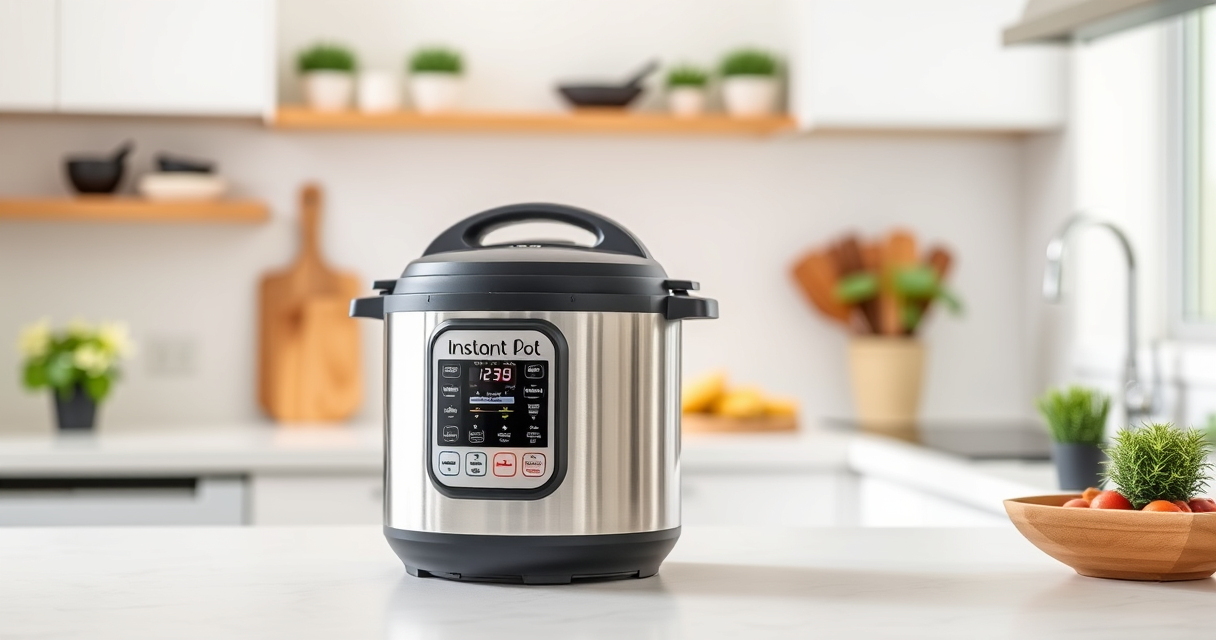

If your Instant Pot 4QT RIO Mini keeps showing a burn error, it can be frustrating and disrupt your cooking plans. This common issue often stems from food sticking to the bottom, insufficient liquid, or a clogged vent. Fortunately, with some simple troubleshooting steps, you can resolve this problem safely and get back to enjoying your meals.

Get home appliances delivered free with Prime
- Fast, free delivery on millions of items
- Prime Video, Amazon Music and more included
- Member-only deals all year
In this guide, we’ll walk you through a step-by-step process to diagnose and fix the burn error, ensuring your pressure cooker operates smoothly and safely every time.
Key Takeaways
| Check for food residue | Food sticking to the bottom can trigger the burn error. |
| Ensure adequate liquid | Insufficient liquid prevents proper pressure build-up. |
| Inspect sealing components | Damaged or improperly seated sealing rings and vents can cause errors. |
| Clean the vent and gasket | Clogs or debris in the steam vent or gasket lead to pressure issues. |
| Reset and test | After fixing, reset the cooker and run a test cycle to confirm repair. |
Step 1: Safely Release Pressure and Open the Lid
- Turn off the Instant Pot and unplug it to ensure safety.
- Allow the pressure to release naturally for 10-15 minutes, or use the quick-release method if safe.
- Once the pressure indicator drops, carefully open the lid.
Step 2: Clean the Inner Pot and Sealing Components
- Remove the inner pot and check for food residues or burnt bits on the bottom.
- Wash the inner pot thoroughly with warm soapy water.
- Inspect the sealing ring and vent for debris or damage. Replace if necessary.
Step 3: Check and Clear the Steam Vent
Remove the steam vent and clean it thoroughly to ensure no blockages. Use a small brush or toothpick to clear any trapped debris.
Step 4: Add Adequate Liquid and Properly Position Food
- Ensure you add at least 1 cup of liquid (water, broth, etc.) as required for pressure buildup.
- Distribute ingredients evenly, avoiding overfilling or stacking food too high.
Step 5: Restart and Test the Cooker
Reassemble the lid securely, ensure the sealing ring is properly seated, then run a short pressure cooking cycle to verify the fix.
The Products in This Guide

Instant Pot 4QT RIO Mini 7-in-1 Multi-Cooker
- ✔ Dimensions: 8.25 x 8.25 x 8.25 inches
- ✔ Weight: 10 pounds
- ✔ Warranty: 1-year limited

AOZITA Steamer Basket
- ✔ Capacity: Two-tier
- ✔ Material: Stainless steel
- ✔ Compatibility: 6 & 8 qt models
Instant Pot 4QT RIO Mini 7-in-1 Multi-Cooker
The Instant Pot 4QT RIO Mini 7-in-1 Multi-Cooker offers versatile cooking functions in a compact size, making it ideal for small families, students, or limited countertop space. Its anti-spin design helps keep the pot steady during sautéing, and its multiple functions allow for a variety of recipes.
Pros:
- Space-saving design
- Multiple cooking functions
- Easy to clean
- Good for small servings
Cons:
- Limited capacity for large families
- Learning curve for new users
- Potential for burn errors if not properly maintained
Best for: Small households seeking versatile and space-efficient cooking
Not ideal for: Cooking large quantities or for big families
Bottom line: A compact, multi-functional pressure cooker perfect for small kitchens and everyday meals.
AOZITA Steamer Basket
The AOZITA Steamer Basket is a great addition for your Instant Pot, allowing you to steam vegetables, eggs, or even cook multiple dishes simultaneously with its two-tier design. It maximizes your cooker’s capacity and helps prevent burn errors caused by food sticking or uneven heating.
Pros:
- Two-tier design for multitasking
- Stainless steel, durable
- Compatible with 6 and 8 qt models
- Easy to clean
Cons:
- Requires additional space in the cooker
- May take some time to get used to stacking
Best for: Cooking multiple dishes or steaming different foods simultaneously
Not ideal for: Single-item cooking or minimal space needs
Bottom line: A versatile steamer basket that expands your Instant Pot’s functionality for quick, multitask cooking.
Frequently Asked Questions
Why does my Instant Pot keep showing a burn error?
The burn error typically occurs due to food sticking to the bottom, insufficient liquid, or a clogged vent. Regular cleaning and proper liquid levels help prevent this.
How much liquid do I need to avoid the burn error?
Most Instant Pot models require at least 1 cup of liquid to generate enough steam and pressure safely. Check your model’s guidelines for exact amounts.
Can I still use the Instant Pot after a burn error?
Yes, after cleaning and ensuring proper setup, you can restart the cooking process. Always verify that all parts, especially the gasket and vent, are clean and properly fitted.
How often should I replace the sealing ring?
Replace the sealing ring if it becomes cracked, discolored, or retains odors after cleaning. Typically, every 12-18 months depending on usage.
Getting Your Instant Pot Back in Action
Dealing with a burn error can be frustrating, but with careful cleaning, proper setup, and a few adjustments, your Instant Pot can operate smoothly again. Regular maintenance and following the manufacturer’s guidelines will extend its lifespan and ensure safe, efficient cooking every time.
Affiliate disclosure: As an Amazon Associate we earn from qualifying purchases. Prices and availability are accurate as of the time of publishing.
NFL season / tailgating Picks
team gear
As an affiliate, we earn on qualifying purchases.